
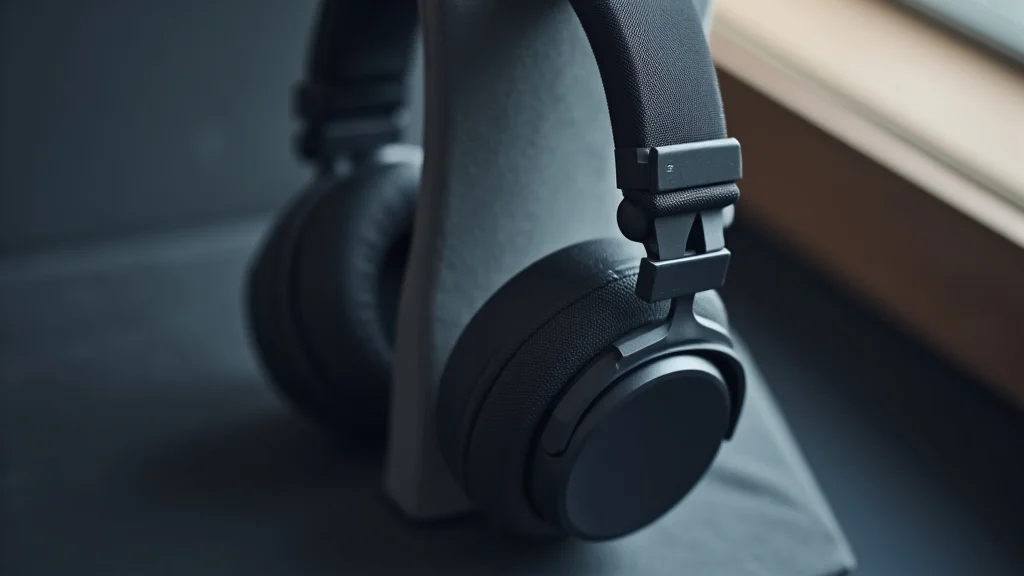
Finding the right pair of headphones with microphone can feel a bit tricky sometimes, especially if you’re new to them. You want clear sound for your calls or games, and a mic that picks up your voice without weird noises. It’s not as complicated as it seems!
We’ll walk through everything simply, step by step. Get ready to learn how to pick the perfect ones for you.
Key Takeaways
- You will learn what makes headphones with a microphone a popular choice.
- Discover the essential features to look for when buying.
- Understand different types of connections and their pros and cons.
- Learn how to test and ensure good audio quality for both listening and speaking.
- Find tips for maintaining your headphones with a microphone.
Understanding Headphones With Microphone
How Headphones With Microphone Work
Headphones with a microphone are a common piece of tech for many reasons. They let you listen to audio while also speaking. Think about video calls with family, online gaming with friends, or even taking work meetings.
A built-in microphone means you don’t need a separate device. This makes them super convenient for multitasking. They combine two essential tools into one easy package.
This convenience is why so many people use them every day.
The core idea is simple. The headphones have speakers to deliver sound to your ears. The microphone is a small sensor that picks up sound waves from your voice and turns them into an electrical signal.
This signal is then sent to whatever device you’re connected to, like a computer or phone. So, you can hear what others are saying and they can hear you too. It’s a two-way street for audio communication.
Components Of A Headphone Microphone System
Every headset with a mic has a few key parts. First, you have the speakers inside the earcups. These produce the sound you hear.
They can be dynamic, balanced armature, or planar magnetic, each offering a different sound profile. Then there’s the microphone itself. This is usually a small capsule designed to capture your voice.
It can be attached to the headset by a flexible boom arm, a fixed stalk, or be integrated directly into the earcup or cable. The boom arm is popular because you can position it closer to your mouth for better voice capture.
The microphone capsule is the heart of voice capture. It converts sound vibrations into electrical signals. Different types exist, like condenser and dynamic microphones.
Condenser mics are known for their sensitivity and clarity, often found in higher-end headsets. Dynamic mics are more rugged and less sensitive to background noise, making them good for noisy environments. The signal from the microphone then travels through the headset’s wiring to the connector, ready to be sent to your computer or phone.
Speaker Technology In Headphones
The speakers are what let you enjoy music, podcasts, or game audio. Most consumer headphones use dynamic drivers. These are cone-shaped diaphragms moved by an electromagnet.
They are affordable and can produce a wide range of sounds. For more detailed sound, balanced armature drivers are smaller and often used in in-ear monitors. They offer good clarity but can have a narrower frequency response.
Planar magnetic drivers use a large, flat diaphragm with a voice coil spread across it. They deliver excellent detail and accurate bass but are typically found in more expensive, over-ear headphones.
The size and quality of the speaker driver significantly impact the sound. Larger drivers can often produce deeper bass and a fuller sound. The materials used for the diaphragm also matter.
Common materials include Mylar, titanium, or beryllium, each affecting the sound’s stiffness and weight. A stiffer, lighter diaphragm generally leads to better transient response and clearer highs. Understanding these driver types helps you appreciate why some headphones sound better than others.
Microphone Types And Placement
Microphones for headphones come in different flavors. Electret condenser microphones are very common because they are small, energy-efficient, and offer good audio quality. They require a small charge to operate.
Dynamic microphones are less common in headphones but are known for their durability and ability to handle high sound pressure levels. They don’t need a power source.
Placement is key for a good microphone. Boom mics, attached to a flexible arm, can be positioned directly in front of your mouth. This proximity helps isolate your voice and reduces background noise.
Some boom mics have noise-canceling features, using a second microphone to detect and cancel out ambient sounds. Others are omnidirectional, picking up sound from all directions, which can be good in quiet environments but less so in noisy ones. Directional microphones, like cardioid, focus on sound coming from the front, which is usually where your voice is.
Audio Signal Processing
Once sound is captured, it goes through processing. The raw audio signal from the microphone is often amplified. This makes it strong enough to be transmitted.
Digital signal processing (DSP) plays a big role here. DSP chips can do many things to improve your voice quality. They can reduce background noise, suppress echoes, and even adjust the tone of your voice.
Some advanced systems use AI to further enhance clarity.
For the audio you hear, the signal from your device is converted by the headphone’s drivers. This involves a digital-to-analog converter (DAC) and an amplifier. The quality of these components affects how clear and rich the music or voices sound.
Higher-end headphones often have better DACs and amplifiers for superior audio fidelity. Some headphones also offer virtual surround sound, which uses DSP to create a 3D audio experience.
Noise Cancellation Technology
Noise cancellation is a popular feature. There are two main types: passive and active. Passive noise cancellation is like wearing earplugs.
It works by physically blocking out sound with well-fitting earcups or earbuds. This is great for reducing constant, low-frequency noises like airplane engines or office hums.
Active noise cancellation (ANC) is more advanced. It uses microphones to detect ambient noise. Then, it generates an “anti-noise” sound wave that cancels out the unwanted sound.
This is very effective for a wider range of noises. Many headphones with microphones offer ANC, so your voice can be heard clearly on calls even in busy places.
Connectivity Options
How you connect your headphones matters. The most common types are wired and wireless. Wired connections use a plug, usually a 3.5mm audio jack or a USB connector.
These are often reliable and don’t need batteries. USB connections can sometimes offer better audio quality because they can carry more data and allow for more advanced features.
Wireless connections use Bluetooth. This offers freedom from cables, which many people prefer. Bluetooth versions like 5.0 and above offer better range, speed, and power efficiency.
However, wireless connections can sometimes introduce a slight delay (latency), which might be noticeable in fast-paced gaming. They also require charging.
Wired Connections
Wired connections offer simplicity and reliability. The 3.5mm jack is an analog connection found on many phones, computers, and gaming controllers. It’s a universal standard.
You plug it in, and it usually just works. The audio quality depends on the device’s internal audio chip.
USB connections are digital. They can bypass your device’s internal sound card and use the headset’s own DAC and amplifier. This can lead to higher quality audio.
USB-C is becoming more common, offering faster data transfer and power delivery. Some gaming headsets use proprietary USB connectors that offer even more features like software control and surround sound.
Wireless Connections Bluetooth And Beyond
Bluetooth is the most popular wireless technology for headphones. It allows for a cable-free experience, giving you freedom of movement. Newer Bluetooth versions have improved sound quality and reduced latency.
Technologies like aptX and LDAC offer near-CD quality audio for compatible devices and headphones.
Some high-end wireless headphones might use proprietary wireless protocols for even better performance, especially for gaming. These often require a specific USB dongle to connect to your PC or console. They aim to provide the lowest possible latency and highest audio fidelity, bridging the gap between wired and wireless performance.
For most everyday use, standard Bluetooth is more than sufficient.
Choosing The Right Type For Your Needs
Over-Ear Headphones
Over-ear headphones, also known as circumaural headphones, completely surround your ears. They offer excellent comfort for long listening sessions. The earcups create a seal around your ears, which helps with passive noise isolation.
This can make the sound feel more immersive.
Many over-ear headphones have large drivers, which contribute to a richer sound with good bass response. They are often the preferred choice for audiophiles and gamers who value sound quality and comfort. The microphone is typically attached via a boom arm, allowing for optimal positioning.
Comfort And Fit For Extended Use
When you wear headphones for hours, comfort is paramount. Over-ear designs distribute weight around your head. Look for plush earcups made from materials like memory foam or velour.
The headband should also be well-padded and adjustable to fit different head sizes. A good fit prevents pressure points and discomfort.
The clamping force is also important. Too tight, and they squeeze your head. Too loose, and they might fall off.
Many premium headphones allow for some adjustment in headband pressure. The overall weight of the headphones also plays a role in long-term comfort. Lighter is generally better.
Sound Quality And Immersion
Over-ear headphones often provide the best sound quality due to their larger drivers and spacious earcups. The enclosed design helps create a sense of immersion, drawing you into the audio. For music, this means richer bass and clearer highs.
For gaming, it means better positional audio, helping you locate sounds accurately.
The seal created by the earcups also enhances bass response. Without a good seal, bass frequencies can escape, making the sound feel thin. This is why many open-back over-ear headphones are praised for their natural soundstage, while closed-back designs offer better isolation and punchier bass.
On-Ear Headphones
On-ear headphones rest directly on your ears, not around them. They are generally smaller and lighter than over-ear models. This makes them more portable.
However, they can sometimes cause ear fatigue after prolonged use due to pressure on the ears.
The sound quality can be good, but the seal isn’t as complete as with over-ear headphones. This means less passive noise isolation. Microphones on on-ear headsets might be integrated into the cable or a small fixed stalk.
Portability And Design
On-ear headphones are a great choice if you need something compact for commuting or travel. Many models feature foldable designs, making them easy to slip into a bag. Their lighter weight also makes them feel less cumbersome for some users.
While they offer less isolation, their open design can be preferred by some for awareness of their surroundings. They can also be a good option for people who find over-ear headphones too hot or heavy.
Potential For Ear Discomfort
The main drawback of on-ear headphones is the pressure they exert directly on your ears. Over time, this can become uncomfortable, especially for individuals with sensitive ears. The earcups might also press against your glasses, causing further irritation.
If you plan on wearing headphones for many hours straight, on-ear models might not be the best fit. It’s always a good idea to try them on if possible to gauge their comfort for your specific needs.
In-Ear Headphones Earbuds
In-ear headphones, or earbuds, fit directly into your ear canal. They offer excellent portability and a secure fit, especially with different ear tip sizes. They provide good passive noise isolation by forming a seal.
Many modern earbuds come with integrated microphones, making them convenient for calls and voice commands. Some high-end models even offer active noise cancellation. They are a popular choice for exercise and everyday use.
Secure Fit And Active Use
For activities like running or working out, a secure fit is essential. Earbuds often come with various sizes of silicone or foam ear tips. These help you find the perfect seal and prevent them from falling out during movement.
Some models also have ear hooks or wings for added stability.
The compact size of earbuds means they are less likely to get in the way of your workout. Many are also sweat-resistant, adding to their suitability for active lifestyles. The microphone quality on earbuds can vary, but many are perfectly adequate for voice calls.
Compactness And Noise Isolation
The biggest advantage of earbuds is their small size. They are incredibly easy to carry around. You can slip them into a pocket or a small carrying case.
This makes them ideal for people on the go.
The seal they create within the ear canal is highly effective at blocking out external noise. This passive noise isolation means you can enjoy your audio at lower volumes, protecting your hearing. It also allows you to focus on your calls or music without distractions.
Key Features To Look For
Microphone Quality
The microphone is a crucial part of headphones with a microphone. You want your voice to sound clear and natural to others. Look for descriptions that mention noise cancellation for the microphone, as this helps filter out background sounds.
Some microphones also have adjustable boom arms, allowing you to position them closer to your mouth for optimal pickup.
A good microphone will have a wide frequency response, meaning it can capture the full range of your voice. If you’re using them for professional calls or voiceovers, you might want to look for specific reviews that focus on microphone audio samples. Clear voice transmission is key for effective communication.
Noise Cancellation For The Microphone
Microphone noise cancellation is different from headphone noise cancellation. It specifically targets unwanted sounds picked up by the mic. This can include keyboard clicks, fan noise, or general room ambiance.
Technologies like dual-mic noise suppression or AI-powered noise reduction can significantly improve call quality.
If you often take calls in noisy environments, like a busy office or coffee shop, microphone noise cancellation is a must-have feature. It ensures that the person on the other end hears you, not the chaos around you. This makes your conversations much more productive and pleasant.
Sound Quality For Listening
Beyond the microphone, the sound quality for listening is just as important. You want your music, podcasts, or game audio to sound great. Look for specifications regarding driver size and type.
Larger drivers often provide better bass and a fuller sound. Different driver materials can also affect the audio profile.
Consider the frequency response. A wider frequency response means the headphones can reproduce a broader range of sounds, from deep bass to crisp highs. Many headphones also mention support for high-resolution audio codecs if you’re an audiophile.
Driver Size And Type
Driver size is often measured in millimeters. Common sizes for over-ear headphones range from 40mm to 50mm. Larger drivers can generally move more air, leading to louder volumes and deeper bass.
For earbuds, drivers are much smaller, typically between 6mm and 15mm.
The type of driver also matters. Dynamic drivers are the most common and offer a good balance of performance and cost. Balanced armature drivers are smaller and often found in high-end earbuds for their precision and clarity.
Planar magnetic drivers are less common and found in premium headphones for their exceptional detail and response.
Comfort And Ergonomics
This refers to how the headphones feel when you wear them, especially for long periods. For over-ear and on-ear headphones, check the padding on the earcups and headband. The materials used (like memory foam, leather, or velour) can make a big difference.
The clamping force, or how tightly the headphones grip your head, is also important.
For earbuds, the fit is determined by the ear tips. Most come with multiple sizes. A good fit ensures they stay in place and provide optimal passive noise isolation.
Earbud shapes and the use of ear hooks or wings can further enhance the secure fit for active use.
Earcup Material And Design
The material of the earcups affects both comfort and sound. Leather or pleather earcups can feel luxurious and offer good isolation, but they can get warm. Velour earcups are more breathable and feel softer, but they offer less noise isolation.
Memory foam padding molds to the shape of your head for a custom fit.
The depth and angle of the earcups can also impact sound. Deeper earcups can provide a more open soundstage, while angled drivers can help direct sound more effectively into your ear canal. For on-ear headphones, the pad thickness and firmness are key for comfort.
Durability And Build Quality
Headphones are an investment, so you want them to last. Look for sturdy construction. Metal components in the headband or yokes are often a sign of better durability than all-plastic designs.
Check reviews for comments on how well the headphones hold up over time, especially for parts that experience stress, like the hinges or the cable connection.
The cable quality is also important for wired headphones. Braided cables are often more durable and less prone to tangling than smooth rubber cables. For wireless headphones, the battery life and charging port durability are also key considerations.
Materials And Construction
High-quality materials contribute to a longer lifespan. Aluminum, steel, and durable plastics are commonly used in well-built headphones. The quality of the drivers, internal wiring, and any electronic components also plays a role in overall durability and performance over time.
Consider the design of the joints and hinges. These are common points of failure in less well-made headphones. Look for designs that seem robust and allow for smooth movement without feeling flimsy.
For earbuds, the quality of the charging case and the connection points are important.
Extra Features
Wireless Charging
Some wireless earbuds and headphones offer wireless charging capabilities. This means you can place the charging case (for earbuds) or the headphones themselves on a Qi-compatible wireless charging pad. It’s a convenient way to top up the battery without fumbling with cables.
While not essential, wireless charging adds an extra layer of convenience. It’s especially useful if you already have wireless charging pads for your phone or other devices. It streamlines the charging process.
Companion App Support
Many modern headphones come with companion apps for smartphones. These apps allow you to customize settings, update firmware, and often fine-tune the sound. You can usually adjust EQ settings to your preference, activate or deactivate noise cancellation, and set up custom button controls.
For example, some apps let you create custom EQ profiles for different types of music or calls. Others allow you to remap controls for volume, playback, and microphone mute. This level of customization can significantly enhance your user experience.
Using Your Headphones With Microphone Effectively
Optimizing Microphone Placement
For the best microphone performance, positioning is key. If you have a boom microphone, try to place it close to the corner of your mouth. This ensures that your voice is captured clearly while minimizing the pickup of breath sounds or plosives (like ‘p’ and ‘b’ sounds).
Avoid having it too close, as this can distort your voice.
Experiment with the boom arm. It should be flexible enough to move freely but stiff enough to stay in place. If your microphone is fixed, you might need to adjust the angle of your head slightly.
The goal is to have the microphone facing your mouth directly.
Testing Your Microphone Input
Before important calls or gaming sessions, always test your microphone. Most operating systems have a microphone test feature. On Windows, you can go to Settings > System > Sound and check the input device.
You can speak into the microphone and see the input level meter move. On macOS, it’s under System Preferences > Sound > Input.
Many communication apps, like Zoom, Discord, or Skype, also have built-in audio settings where you can test your microphone. Speak normally and listen back to a recording if possible. This helps you identify any issues with background noise, volume, or clarity.
Adjusting Audio Settings
Fine-tuning your audio settings can make a big difference. On your computer or phone, you can usually adjust the overall volume for both listening and microphone input. For headphones with a microphone that have software controls, use the companion app to set EQ or specific audio profiles.
For example, if your voice sounds too muffled, you might need to boost the treble frequencies. If the bass is overpowering your voice, you might need to adjust that. Taking a few minutes to dial in these settings can lead to much clearer communication.
Equalization EQ Settings
Equalization (EQ) allows you to adjust the balance of different sound frequencies. You can boost bass for a warmer sound, cut mids for clearer vocals, or enhance treble for more detail. Many headphones with companion apps offer preset EQ settings (like “Rock,” “Pop,” or “Voice”) or allow you to create custom profiles.
For voice calls, you might want to emphasize frequencies that make speech sound clearer, often in the mid-range. For music, you can tailor the EQ to your personal preferences. Experimenting with EQ is a great way to get the most out of your headphones’ sound.
Managing Background Noise
Managing background noise is essential for clear communication. If your headphones have active noise cancellation (ANC) for listening, turn it on when you need to focus. For the microphone, rely on its built-in noise reduction features.
If you’re in a very noisy environment and your microphone is struggling, try to move to a quieter spot if possible. Sometimes, simply angling your head or speaking a bit louder can help overcome ambient sound. Using a headset with a boom mic that can be positioned close to your mouth is also very effective.
Active Noise Cancellation ANC
ANC uses microphones to detect external sounds and generates opposing sound waves to cancel them out. This is primarily for the listener to enjoy a quieter experience. However, by reducing the amount of ambient noise that reaches the listener, it can also help them focus better on their own voice during calls.
While ANC is great for reducing constant drone-like noises (like airplane engines), it’s less effective against sudden, sharp sounds. Some headphones offer different ANC modes, like transparency mode, which allows some external sound in so you can stay aware of your surroundings.
Care And Maintenance
To keep your headphones with a microphone in good condition, regular cleaning is important. For earcups, gently wipe them with a dry or slightly damp microfiber cloth. Avoid using harsh chemicals, as they can damage the materials.
For earbuds, remove the ear tips and clean them separately. Make sure they are completely dry before reattaching.
For wired headphones, check the cable for any signs of wear or damage, especially near the connectors. Store your headphones properly when not in use. Using a carrying case or keeping them on a stand can prevent damage and tangling.
Cleaning Your Headphones
Dust and earwax can accumulate on headphones, affecting sound quality and hygiene. For over-ear and on-ear headphones, use a soft brush or a dry microfiber cloth to gently clean the earcups and headband. If the earcups are removable, you can often wash them according to the manufacturer’s instructions.
For earbuds, it’s crucial to clean the mesh grille at the tip. Use a dry toothbrush or a small, dry cotton swab. If ear tips are detachable, wash them with mild soap and water, then ensure they are thoroughly dry before reattaching.
A clean microphone grille is also important for clear voice pickup.
Troubleshooting Common Issues
No Sound Or Low Volume
If you have no sound or low volume, first check that your headphones are properly connected to your device. For wired headphones, ensure the plug is fully inserted. For wireless headphones, confirm they are paired and connected via Bluetooth.
Check that your device’s volume is turned up and not muted.
Also, make sure you haven’t accidentally selected the wrong audio output device in your computer or phone settings. Sometimes, software updates can reset audio preferences.
Microphone Not Working
If your microphone isn’t working, verify that it’s enabled in your device’s sound settings and that the communication app you’re using has permission to access it. Check that the mute switch on the headphones themselves (if any) is not activated.
Try unplugging and replugging the headphones, or disconnecting and reconnecting the Bluetooth. Restarting your computer or phone can also resolve temporary glitches. If the issue persists, there might be a hardware problem with the microphone itself.
Common Myths Debunked
Myth 1: All Headphones With A Microphone Are The Same
This is not true. Headphones with microphones vary greatly in quality, features, and price. The type of drivers, microphone technology, comfort, build materials, and connectivity options all differ significantly between models.
Some are basic for casual use, while others are designed for professional applications or high-end gaming.
Myth 2: Expensive Headphones With Microphones Offer Only Marginal Improvements
While diminishing returns exist, premium headphones often provide substantial upgrades in sound fidelity, microphone clarity, comfort, and durability. For critical listening, professional work, or immersive gaming, the difference in audio immersion and voice communication can be profound and justify the cost.
Myth 3: Wireless Headphones Always Have Latency Issues
Modern wireless headphone technology, especially Bluetooth 5.0 and later, has significantly reduced latency. For everyday use, the delay is often unnoticeable. For demanding applications like competitive gaming, specific low-latency codecs or proprietary wireless solutions are available that minimize this issue.
Myth 4: You Need Special Software To Use A Headset With A Microphone
Most headphones with microphones are plug-and-play devices and work with standard audio drivers built into operating systems. However, some higher-end models offer companion apps that unlock advanced features like EQ customization, firmware updates, and control remapping. These are usually optional enhancements, not requirements.
Frequently Asked Questions
Question: How do I know if my headphones with microphone are compatible with my device?
Answer: Check the connection type. Most devices have either a 3.5mm audio jack or USB ports. Ensure your headphones use a compatible connector.
For Bluetooth, confirm your device supports Bluetooth and the specific codec if high-fidelity audio is important.
Question: Can I use headphones with a microphone for gaming?
Answer: Yes, many headphones with microphones are designed for gaming. Look for features like clear voice communication, immersive sound, and comfort for long sessions. Some gaming headsets also offer virtual surround sound for better positional audio.
Question: How do I improve the microphone sound quality on my headphones?
Answer: Ensure the microphone is positioned correctly near your mouth. Check your device’s audio settings and increase microphone input volume if needed. Use noise cancellation features and consider a quieter environment for calls.
Some headphones have companion apps that let you adjust EQ for voice.
Question: What is the difference between a boom mic and an integrated mic?
Answer: A boom mic is a flexible arm that extends from the headphone earcup, allowing for precise positioning near your mouth, which generally results in clearer audio. An integrated mic is built directly into the headphone or cable, offering a more streamlined look but often less optimal positioning for voice pickup.
Question: How often should I clean my headphones with a microphone?
Answer: It’s good to give them a quick wipe down after each use, especially if you sweat a lot. A more thorough cleaning of earcups and ear tips can be done weekly or bi-weekly, depending on usage. Ensure all parts are completely dry before reassembling or using them.
Summary
Selecting headphones with a microphone is about matching features to your needs. We covered how they work, different types like over-ear, on-ear, and earbuds, and key features such as microphone quality and sound. Understanding connectivity options and comfort ensures a good fit for your daily tasks.
Effective use involves optimizing microphone placement and adjusting audio settings. Proper care keeps them in top shape.