
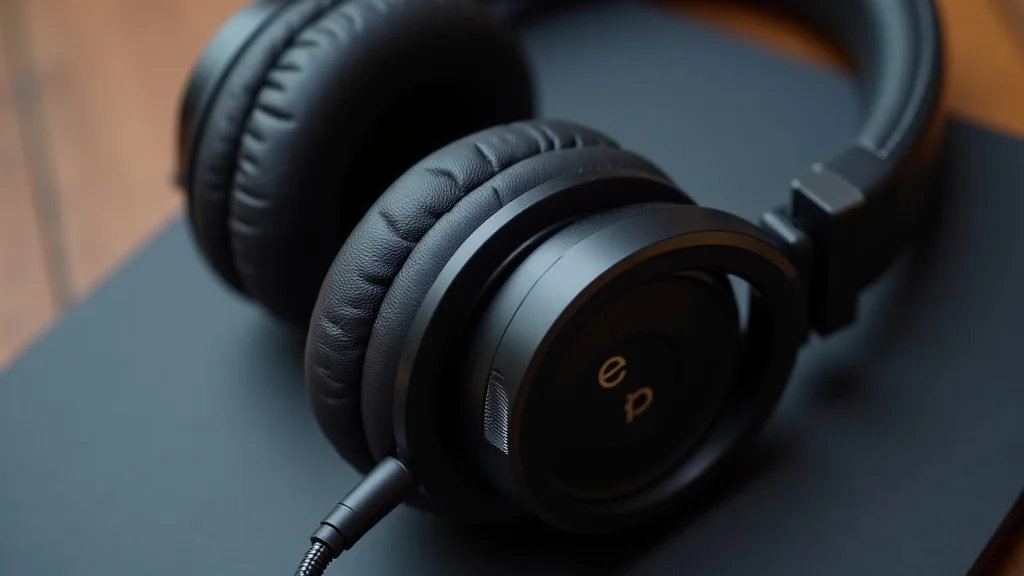
Have you ever bought new headphones and wondered why some devices still have a headphone jack while others don’t? It can seem a bit confusing for beginners, right? Don’t worry, it’s not as complicated as it sounds.
We’re going to break it down super easy. Get ready to learn all about it, step by step.
Key Takeaways
- You will learn what a headphone jack is and how it works.
- We will explore why some devices still have it and why others removed it.
- You’ll discover different types of headphone jacks and their uses.
- We will explain common issues and how to fix them.
- You will learn about adapters and alternatives to the headphone jack.
What Is A Headphone Jack
A headphone jack is a common connector that lets you plug in your headphones or speakers to listen to audio. Think of it as a small hole on your phone, computer, or music player. When you put the metal plug from your headphones into this hole, it sends sound from your device to your ears.
It’s a very direct way to get your music, podcasts, or calls from the device to your listening gear. This simple port has been around for a long time and is easy to use for most people.
How It Works
The headphone jack uses a special type of connector, usually a 3.5mm or 6.35mm plug. This plug has several metal rings on it. Each ring is connected to a different part of the audio signal.
For stereo sound, there are usually three rings: one for the left ear, one for the right ear, and one for the ground or common connection. When you plug it in, these rings make contact with corresponding pins inside the jack. This connection allows the electrical signals carrying the sound to travel from the device’s audio chip to your headphones.
The headphones then convert these electrical signals into sound waves you can hear.
This technology has been a standard for decades. Its widespread adoption means that most audio devices and headphones are compatible with each other. It’s a very reliable system that has served us well for years.
Audio Signal Transmission
The audio signal from your device is an electrical current that changes rapidly. These changes represent the sound waves. The headphone jack acts as a pathway for this electrical current.
The metal rings on the plug are designed to touch specific electrical contacts inside the jack. These contacts are wired to different audio channels. For example, a standard stereo jack has contacts for the left channel, the right channel, and a common ground.
When the plug is inserted, it completes the circuit, allowing the audio signal to flow.
This signal is then carried through the wires in your headphone cable to the tiny speakers inside the earcups or earbuds. These speakers have a diaphragm that vibrates when the electrical signal passes through them. These vibrations create the sound waves that travel to your ears.
The quality of the audio signal and the quality of your headphones both play a role in how good the sound is.
Compatibility And Standards
The beauty of the headphone jack is its universal compatibility. The 3.5mm size, often called a mini-jack, is the most common. It’s used on smartphones, laptops, tablets, MP3 players, and even some home audio equipment.
This means you can usually use any headphones with a 3.5mm plug on any device that has a 3.5mm jack. This standardization has made it incredibly convenient for consumers. You don’t have to worry about buying specific headphones for specific devices.
It’s a plug-and-play system that just works.
However, there are a few variations. Some professional audio equipment uses a larger 6.35mm jack, often called a quarter-inch jack. This is common on guitars, amplifiers, and DJ equipment.
There’s also a 2.5mm jack, which is smaller and sometimes found on older mobile phones or some cordless phones. But for most everyday audio needs, the 3.5mm jack is king.
Types Of Connectors
The most common type of connector for a headphone jack is the 3.5mm audio jack. This is what you’ll find on almost all smartphones, laptops, and portable audio players. It’s small, compact, and easy to use.
These jacks typically handle audio signals. They can be either stereo (two channels for left and right ears) or mono (one channel).
Some 3.5mm jacks are also TRRS (Tip, Ring, Ring, Sleeve) connectors. These have an extra ring on the plug. This extra ring is often used to carry microphone signals.
This is why many smartphone headphones have a built-in microphone for calls. The TRRS connector allows your phone to send audio out to the headphones and receive audio from the microphone at the same time, all through a single port.
There are also larger jacks like the 6.35mm (quarter-inch) jack. These are more robust and are often found on professional audio gear, guitars, and amplifiers. They can handle more power and are less likely to get damaged.
Smaller 2.5mm jacks exist too, but they are much less common for consumer audio devices.
Stereo Versus Mono
When we talk about audio, stereo means sound with two distinct channels, one for the left ear and one for the right. This creates a more immersive and realistic listening experience, as sound can come from different directions. Mono, on the other hand, is a single channel, meaning both ears hear the same sound.
Most modern headphones and headphone jacks support stereo sound. You can identify a stereo plug by the number of black rings on the metal part. A standard stereo plug will have two black rings.
This gives you that wide soundstage where music feels like it’s all around you. Mono jacks are less common now for general listening but are still used in some specialized applications.
TRRS For Microphones
TRRS stands for Tip, Ring, Ring, Sleeve. This is a type of audio jack connector that goes beyond just transmitting audio. It has an extra conductor, the second ring, which is used to carry additional signals.
On most smartphone headphones, this extra ring is used for the microphone. So, when you plug in your earbuds with a mic into your phone’s headphone jack, the audio for listening goes through the standard stereo connections, and the voice you speak into the microphone is sent back through the TRRS connection.
This makes TRRS jacks very convenient for hands-free calling and voice commands. However, compatibility can sometimes be an issue. Not all devices that have a headphone jack fully support TRRS.
Some older devices might only support stereo audio, meaning the microphone on your headphones won’t work. Likewise, some headsets designed for computers might use a different jack system, requiring adapters.
Historical Significance
The headphone jack has a long and storied history. It first appeared on early audio equipment, allowing for private listening without disturbing others. Over time, it became a standard feature on almost every portable music player, from Walkmans to MP3 players.
Its presence made personal audio accessible and popular.
The 3.5mm jack, in particular, became dominant due to its small size, which was perfect for the increasingly portable nature of electronics. It enabled a revolution in how people consumed media, allowing for on-the-go music, podcasts, and audiobooks. Even as new technologies emerge, the headphone jack’s legacy as a foundational piece of audio technology is undeniable.
Evolution Of Audio Ports
The journey of audio ports began with larger connectors, like the 1/4-inch (6.35mm) jack, used in professional audio settings. As devices became smaller and more portable, engineers sought more compact solutions. The 3.5mm jack emerged as a successful compromise, offering good audio quality in a significantly smaller form factor.
This was a key step in miniaturization.
Later, the development of the TRRS connector allowed for the integration of microphone functionality into the same port, leading to the rise of hands-free headsets. This innovation further streamlined device design and user experience. The consistent evolution of these ports reflects the ongoing drive for convenience and integration in electronics.
Impact On Consumer Electronics
The headphone jack played a massive role in shaping consumer electronics. It made personal audio devices more appealing by offering a simple way to listen privately. Think about how many people listen to music or podcasts on their commute using headphones.
The headphone jack made all of that possible. It also spurred innovation in headphone design, leading to a huge market for earbuds, noise-canceling headphones, and high-fidelity audio gear.
Its widespread adoption meant that consumers could buy a device and use virtually any headphones they already owned. This eliminated a barrier to entry for many users and contributed to the explosion of the portable music industry. It’s a testament to how a simple, well-executed technology can have a profound impact.
Why The Headphone Jack Is Disappearing
You might have noticed that many newer phones and laptops no longer have a headphone jack. This is a big change for many people. Companies started removing it to make devices thinner and to encourage the use of wireless headphones.
It also creates more space inside the phone for other components like bigger batteries or better cameras.
However, this decision has caused some frustration. Not everyone wants wireless headphones, and sometimes wired ones sound better or last longer. It also means you might need an adapter to use your old headphones with a new device.
This can be an extra hassle and cost.
Making Devices Thinner
One of the main reasons manufacturers are removing the headphone jack is to make their devices sleeker and thinner. The headphone jack is a physical port that takes up space. By removing it, designers have more room within the device’s chassis.
This extra space can be used for other components.
For example, a larger battery can be fitted, giving users longer battery life. Alternatively, manufacturers can include more advanced camera modules, better speakers, or improved cooling systems. The drive for ever-thinner devices in the smartphone and laptop markets is a significant factor pushing the headphone jack out.
It’s a trade-off between physical connectivity and device aesthetics and internal component density.
Push Towards Wireless Technology
The technology for wireless audio has improved dramatically. Bluetooth headphones are now more convenient than ever, with better sound quality and longer battery life. Companies see this as the future and want to push consumers in that direction.
Removing the wired headphone jack is a way to encourage people to buy wireless alternatives.
Wireless headphones offer freedom from cables, which many people appreciate. You don’t have to worry about tangled wires or them getting caught on things. The market for truly wireless earbuds, like AirPods, has exploded.
By eliminating the headphone jack, device makers are essentially betting that wireless is the primary way people will listen to audio going forward. This also aligns with the broader trend of wireless charging and connectivity.
Water And Dust Resistance
Another benefit of removing the headphone jack is improved water and dust resistance. A physical port is a potential entry point for liquids and small particles. Every port on a device creates a sealing challenge.
If a device is waterproof or water-resistant, every opening needs to be carefully managed.
Removing the headphone jack eliminates one such opening. This makes it easier for manufacturers to achieve higher IP ratings (Ingress Protection) for their devices. For example, many flagship smartphones today boast impressive water resistance, allowing them to survive submersion for a limited time.
This feature is highly valued by consumers, and the headphone jack was a significant hurdle in achieving it.
Space For Other Components
As mentioned earlier, removing the headphone jack frees up valuable internal space. This space is crucial in the design of modern portable electronics. Devices are packed with more and more technology.
Think about the powerful processors, multiple camera lenses, sophisticated sensors, and larger batteries that go into today’s smartphones.
Every millimeter of internal space counts. The headphone jack assembly, while small, has a certain footprint. By eliminating it, designers gain that space back.
This can be used to optimize the placement of other components, leading to better thermal management, improved structural integrity, or the inclusion of features that might otherwise be impossible to fit.
Internal Component Optimization
Internal component optimization is the process of arranging and designing the parts inside an electronic device to make the most efficient use of space and resources. When the headphone jack is removed, the engineers have more freedom in how they lay out the Printed Circuit Board (PCB) and other internal modules. This can lead to a more compact and efficient overall design.
For instance, the space saved might allow for a slightly larger battery without increasing the phone’s thickness. Or it could enable a more powerful haptic feedback motor for better vibrations. The physical constraints of a headphone jack are now removed, offering designers greater flexibility in packing in more advanced technology or improving the performance of existing components.
Battery Life Improvements
While not a direct
Additionally, the presence of fewer physical components and connections can sometimes lead to minor power efficiency gains. Fewer circuits might mean slightly less standby power drain. While the impact might not be huge on its own, when combined with other power-saving optimizations, the freed-up space from removing the headphone jack can contribute to a device that lasts longer on a single charge.
Adapters And Alternatives
If your new device doesn’t have a headphone jack, don’t panic! There are several ways to still use your favorite wired headphones. The most common solution is an adapter.
These small devices plug into your device’s charging port (like USB-C or Lightning) and provide a headphone jack on the other end.
Wireless headphones are also a great alternative. Bluetooth technology has made wireless listening more accessible and high-quality than ever before. There are many options available, from simple earbuds to premium over-ear headphones.
USB-C To Headphone Adapters
Many modern Android phones and some laptops use a USB-C port for charging and data transfer. If your device has a USB-C port but no headphone jack, you’ll need a USB-C to 3.5mm headphone adapter. These adapters are usually small dongles.
You plug the USB-C end into your phone or laptop, and then plug your regular headphones into the 3.5mm jack on the adapter.
Some of these adapters are passive, meaning they rely on your device to convert the digital audio signal to analog. Others are active and contain a small Digital-to-Analog Converter (DAC) chip. Active adapters often provide better sound quality, especially if the device itself has a weak built-in audio processor.
When choosing one, it’s good to check reviews for sound quality and compatibility.
DACs In Adapters
A DAC stands for Digital-to-Analog Converter. Your device’s audio information is stored digitally, as a series of numbers. To hear it, these numbers need to be converted into an analog electrical signal that your headphones can understand and turn into sound.
Some devices have a good DAC built-in, and a simple adapter will work fine.
However, in devices where the headphone jack has been removed, the internal DAC might not be as robust or might be dedicated to other purposes. An active USB-C adapter includes its own DAC. This means it takes the digital audio signal from your device and performs the conversion itself, sending a clean analog signal to your headphones.
This can often result in clearer, more detailed sound, especially for audiophiles.
Lightning To Headphone Adapters
For Apple users with iPhones, the situation is similar. Newer iPhones, starting from the iPhone 7, removed the traditional headphone jack. If you have an iPhone with a Lightning port and want to use wired headphones, you’ll need a Lightning to 3.5mm headphone adapter.
Apple sells their own official adapter, and many third-party companies offer compatible ones.
These adapters work much like their USB-C counterparts. The Lightning connector plugs into your iPhone’s charging port, and you then connect your 3.5mm headphones to the adapter. It’s important to ensure the adapter you choose is certified by Apple (often labeled “Made for iPhone”) to guarantee compatibility and optimal performance.
Apple’s Lightning Ecosystem
Apple has a history of controlling its hardware and accessory ecosystem. The Lightning port, introduced with the iPhone 5, was designed to be a proprietary connector. While it has been incredibly versatile, its use for audio output after the headphone jack’s removal has been a point of contention for some users.
Apple’s own adapters are usually reliable, but they can be more expensive than generic options. The “Made for iPhone” (MFi) certification program ensures that third-party accessories meet Apple’s quality and performance standards. This certification is important because using uncertified accessories can sometimes lead to compatibility issues or a less-than-ideal listening experience.
Wireless Earbuds And Headphones
Wireless headphones and earbuds have become incredibly popular. They connect to your devices using Bluetooth technology. This means no wires at all, offering maximum freedom of movement.
Brands like Apple, Samsung, Sony, and Bose offer a wide range of wireless audio products.
True wireless earbuds, like Apple’s AirPods or Samsung’s Galaxy Buds, are completely cable-free, with each earbud being a separate unit. They come in a charging case that also provides extra battery life. Over-ear wireless headphones offer a more immersive sound experience and often feature active noise cancellation.
The convenience and improving audio quality make them a strong alternative to wired headphones.
Bluetooth Technology Explained
Bluetooth is a short-range wireless technology standard used for exchanging data between fixed and mobile devices over short distances. It works by using radio waves in a specific frequency band. When you pair a Bluetooth headphone to your phone, they establish a connection.
Your phone then transmits the digital audio signal wirelessly to the headphones.
The headphones receive this digital signal and use their own built-in DAC and amplifier to convert it into sound. Modern Bluetooth codecs (like aptX or LDAC) can transmit audio with high fidelity, making wireless listening almost indistinguishable from wired listening for many people. Battery life on Bluetooth headphones has also improved significantly, with many offering several hours of playback on a single charge.
Benefits Of Going Wireless
The primary benefit of wireless headphones is freedom. No more dealing with tangled cables or worrying about snagging them on something. This is especially useful for workouts, running, or any activity where movement is important.
Wireless headphones also contribute to a cleaner aesthetic; there are fewer cables to manage.
Furthermore, many wireless headphones offer advanced features like active noise cancellation (ANC), which can significantly reduce background noise, and voice assistant integration. The convenience of simply taking earbuds out of their case and having them automatically connect to your device is also a major draw.
High-Resolution Audio Converters
For those who are serious about sound quality, there are even more advanced adapters. These are often called high-resolution audio converters or external DAC/AMP combos. They are more powerful than simple dongles and are designed to provide a superior audio experience.
They can handle higher bitrates and sample rates, meaning the audio they process is closer to the original studio recording.
These devices are usually more expensive and can be bulkier than standard adapters. They connect via USB-C or Lightning and have their own headphone output. They are ideal for audiophiles who want to get the absolute best sound quality out of their headphones and music files.
They often include a dedicated amplifier (AMP) to provide enough power for high-impedance headphones.
Understanding High-Resolution Audio
High-resolution audio refers to audio recordings that have a higher sampling rate and bit depth than standard CDs. CDs typically have a sampling rate of 44.1 kHz and a bit depth of 16 bits. High-resolution audio can go much higher, for example, 96 kHz or 192 kHz sampling rates, and 24-bit depth.
This means more audio information is captured, potentially resulting in a richer, more detailed, and dynamic sound.
For you to truly hear the difference, you need a playback device capable of handling these high-resolution files, a DAC that can accurately convert them, an amplifier that can drive your headphones properly, and finally, headphones that can reproduce the full range of detail. High-resolution audio converters are designed to ensure all these steps are handled with the highest possible quality.
Amplifiers And Impedance
Headphones have a characteristic called impedance, measured in Ohms (Ω). This tells you how much electrical resistance the headphones present to the audio signal. Smaller, in-ear headphones often have low impedance (e.g., 16-32 Ohms).
Larger, over-ear headphones, especially audiophile-grade ones, can have much higher impedance (e.g., 250 Ohms or more).
A device’s built-in headphone amplifier might not have enough power to properly drive high-impedance headphones. This can result in low volume, weak bass, and a generally unsatisfying sound. A dedicated headphone amplifier, often found in high-resolution audio converters, provides a stronger signal, allowing high-impedance headphones to perform at their best, delivering clear sound with plenty of power.
Common Headphone Jack Issues And Fixes
Even with the headphone jack becoming less common, it’s still a widely used port. Like any physical connector, it can sometimes develop issues. The most common problems include no sound, distorted sound, or one earbud not working.
Fortunately, many of these issues have simple solutions.
Often, the problem isn’t with the jack itself but with the headphones, the device’s settings, or a bit of dust. We’ll cover some of the most frequent problems and how you can fix them to get your audio back on track.
No Sound From Headphones
If you plug in your headphones and hear nothing, don’t immediately blame the jack. First, check that your headphones are fully plugged in. Sometimes they can feel like they are in, but the connection isn’t quite made.
Try pushing them in a little further.
Next, check your device’s volume settings. Ensure the volume is turned up and not muted. Also, make sure the audio output is set to the headphone jack.
Some devices have settings that can override the physical jack. If you have another pair of headphones, try those to see if the problem is with your original headphones.
Checking Device Settings
Many smartphones and computers have audio settings menus that allow you to control how sound is played. For example, on an iPhone, you can check ‘Settings’ > ‘Sounds & Haptics’. On Android, it might be in ‘Settings’ > ‘Sound & vibration’.
On computers, you’ll look in the sound control panel.
Ensure that the selected audio output device is indeed the headphone jack. Sometimes, if you’ve recently used Bluetooth headphones, the device might still try to send audio to them even when wired headphones are plugged in. Make sure the volume slider is up and that any ‘mute’ functions are turned off.
Testing With Different Headphones
To determine if the problem lies with the headphone jack on your device or with your headphones themselves, it’s crucial to test with different equipment. If you have another pair of headphones, plug them into the same jack. If they work, then the original pair of headphones is likely the issue.
Conversely, if the second pair of headphones also doesn’t produce any sound, the problem is more likely with the headphone jack on your device or the device’s internal audio hardware. This systematic approach helps isolate the source of the audio problem efficiently.
One Earbud Not Working
This is a very common issue with earbuds. If only one side is producing sound, it could be a few things. First, check the connection of the plug.
Make sure it’s fully inserted. Sometimes, wiggling the plug slightly can help if the internal contacts are worn.
The problem could also be with the headphone cable itself. Look for any visible damage, kinks, or tears. If the cable is damaged, it might be the cause.
Try your earbuds on a different device to confirm if the issue is with the earbuds or the original device.
Cable Damage And Connections
The cables connecting your headphones to the plug are delicate. They can be frayed, bent, or broken internally over time, especially with frequent use. If you notice any physical damage to the cable, it’s a strong indicator of the problem.
Even if there’s no visible damage, internal breaks can occur.
The point where the cable meets the 3.5mm plug is also a common failure point. Try gently bending the cable at this point while listening. If the sound flickers or comes back on one side, it confirms a faulty connection at the plug.
Unfortunately, cable damage is often difficult to repair and may require replacing the headphones.
Cleaning The Headphone Jack
Dust, lint, and other debris can accumulate inside the headphone jack over time. This can prevent the headphone plug from making a proper connection, leading to no sound or only one earbud working. Cleaning the jack can often solve this problem.
To clean it, use a can of compressed air to blow out any loose debris. If that doesn’t work, you can carefully use a non-metallic tool like a wooden toothpick or a plastic dental pick. Gently scrape around the inside of the jack to dislodge any stubborn gunk.
Be very careful not to damage the internal contacts. Never use metal objects, as they can cause short circuits. After cleaning, test your headphones again.
Distorted Or Crackling Sound
If your audio sounds fuzzy, crackly, or distorted, it’s usually a sign of a poor connection or a damaged component. A dirty headphone jack is a common culprit. If cleaning the jack didn’t solve the “no sound” issue, it might help with distorted sound too.
Another possibility is that the audio file itself is corrupted or has low quality. Try playing a different song or podcast. If the distortion persists across multiple audio sources, then the problem is more likely with your headphones, the device’s audio processing, or the connection.
Audio Settings And Equalizers
Sometimes, audio distortion isn’t caused by a hardware problem but by software settings. Your device might have an equalizer enabled with extreme settings, or a special audio enhancement feature that is causing distortion. Many music apps and device settings allow you to adjust equalizer presets or manually tweak the sound.
Try disabling any equalizer or audio enhancement features to see if the sound improves. If you are using a third-party music player app, check its specific audio settings. Resetting these settings to default can often resolve distortion issues caused by misconfigured audio processing.
Hardware Faults
If you’ve tried cleaning, checking settings, and testing with other headphones, and the distortion persists, it’s possible there’s a hardware fault. This could be an issue with the headphone jack’s internal wiring or a problem with the device’s audio chip. Unfortunately, these types of hardware issues are usually not user-repairable and might require professional servicing or replacement of the device.
For older devices, it might be more cost-effective to use an adapter if the device still functions otherwise, or to consider upgrading to a newer model. For newer devices where the headphone jack was intentionally removed, such hardware faults would typically occur with the adapter or the wireless connection itself.
The Future Of Audio Connections
The trend away from the traditional headphone jack is clear. Wireless technology, particularly Bluetooth, is becoming the dominant way people connect their audio devices. As Bluetooth capabilities continue to improve, offering higher fidelity and lower latency, the need for a physical jack may diminish further.
However, the headphone jack isn’t entirely obsolete. For certain professional applications, budget-conscious consumers, or audiophiles who prioritize wired sound quality and simplicity, it will likely remain relevant for some time. It’s a classic for a reason.
Dominance Of Wireless Standards
Bluetooth is a robust and widely adopted standard. Its presence on virtually every smartphone, tablet, and computer makes it an easy choice for manufacturers. The improvements in Bluetooth audio codecs mean that the quality gap between wired and wireless is closing, if not already closed for most users.
The convenience factor is also immense. With wireless headphones, you can easily switch between devices without fiddling with cables. The rapid adoption of truly wireless earbuds further cements Bluetooth’s dominance.
As battery technology improves, the playback time for wireless devices will only get longer, making them even more practical for all-day use.
Low Latency Audio
One historical drawback of Bluetooth audio was latency, which is the delay between when the sound is produced and when it’s heard. This was particularly noticeable in videos, where the audio might be slightly out of sync with the picture. However, newer Bluetooth versions and codecs have significantly reduced this latency.
For gaming and video watching, low latency is crucial. Many modern wireless headphones and devices now support low-latency modes specifically designed for these applications. This means that for most everyday uses, the audio delay is imperceptible, making wireless headphones a viable and often preferable option.
Continued Use Cases For Wired Audio
Despite the rise of wireless, there are still many reasons why wired audio connections, and thus headphone jacks, persist. For musicians, producers, and audio engineers, wired connections offer the most reliable and lowest latency audio. Live performance and studio work require predictable and instantaneous sound.
Also, for audiophiles who seek the absolute highest fidelity, wired connections often provide superior quality. High-impedance headphones, which demand more power, are best driven by wired setups with dedicated amplifiers. And for those on a budget or who simply prefer not to deal with charging yet another device, wired headphones are a simple, reliable, and cost-effective choice.
Professional Audio Environments
In professional settings like recording studios, concert halls, and broadcast stations, wired connections are still the standard. The critical nature of audio in these environments demands the utmost reliability and precision. Bluetooth, while improving, still carries a risk of interference, dropout, or latency that professionals cannot afford.
Wired connections offer a direct, uninterrupted signal path. This ensures that audio engineers and performers can monitor sound accurately without any digital processing delays or potential wireless disruptions. The robustness and predictability of wired audio are paramount in these demanding professional applications.
Audiophile Preferences
For many dedicated music lovers, the pursuit of perfect sound quality remains a priority. While wireless technology has advanced significantly, some audiophiles believe that wired connections still offer a superior listening experience. They argue that the digital-to-analog conversion and signal transmission can be more transparent and detailed when done through a direct wired path.
Furthermore, high-end headphones often require a significant amount of power to perform optimally. These headphones, known as high-impedance headphones, are typically designed for wired connections and are paired with specialized amplifiers. The combination of a high-quality DAC, a powerful amplifier, and these specialized headphones via a wired connection can deliver an unparalleled listening experience for those who seek it.
Common Myths Debunked
Myth 1: Headphone jacks are completely gone from all new devices.
This is not true. While many smartphones and laptops have removed the headphone jack, it is still present on a significant number of devices. Many budget-friendly smartphones, some tablets, and a large portion of laptops, especially those not focused on ultra-thin designs, still include a 3.5mm headphone jack.
It’s just less common on premium, flagship models aiming for extreme thinness.
Myth 2: Wireless headphones always sound worse than wired ones.
This used to be more true, but modern wireless audio technology has greatly improved. With advanced Bluetooth codecs like aptX HD or LDAC, the sound quality delivered wirelessly can be very close to, and sometimes indistinguishable from, wired audio for most listeners. While some extreme audiophiles might still prefer wired for absolute purity, for everyday use and even for serious listening, wireless headphones can offer excellent sound quality.
Myth 3: Adapters ruin the sound quality.
This depends on the adapter. Simple passive adapters might not degrade sound quality if the device’s internal DAC is good. However, many active adapters contain their own Digital-to-Analog Converter (DAC) and amplifier, which can actually improve sound quality compared to the device’s built-in audio circuitry.
Poorly made or incompatible adapters could potentially affect sound, but good quality adapters are designed to maintain or even enhance audio fidelity.
Myth 4: Removing the headphone jack only benefits manufacturers.
While manufacturers do benefit from creating thinner devices and pushing wireless accessories, there can be user benefits too. Improved water and dust resistance is a significant advantage for users, protecting their devices from accidental damage. The space saved internally can also allow for larger batteries, leading to longer device usage times, which is a direct benefit to the user.
Frequently Asked Questions
Question: Will I need an adapter for all my headphones if my new phone doesn’t have a jack?
Answer: Yes, if your new device lacks a headphone jack and your headphones have a 3.5mm plug, you will likely need an adapter that connects to your device’s charging port (like USB-C or Lightning) and provides a 3.5mm output.
Question: Can I use a USB-C adapter with my iPhone?
Answer: No, iPhones use a Lightning port for charging and accessories. You need a Lightning to 3.5mm adapter for an iPhone, not a USB-C adapter.
Question: Are wireless headphones reliable for online meetings?
Answer: Yes, modern wireless headphones with good Bluetooth connectivity are generally reliable for online meetings, especially those that support low-latency codecs.
Question: Is it safe to clean my headphone jack with a cotton swab?
Answer: It is generally not recommended to use a cotton swab, as the fibers can shed and get stuck inside the jack. Compressed air or a dry toothpick (used gently) are safer options.
Question: How can I tell if my headphones are stereo or mono?
Answer: A stereo headphone plug typically has two black rings on the metal connector, while a mono plug usually has only one black ring.
Final Thoughts
The headphone jack has served us well, offering simple and direct audio. While many newer devices are moving away from it, especially for thinner designs and wireless push, it’s not entirely gone. Adapters and excellent wireless options mean you can still enjoy your wired headphones or switch to new wireless tech.
Understanding these options helps you keep your audio connected.