
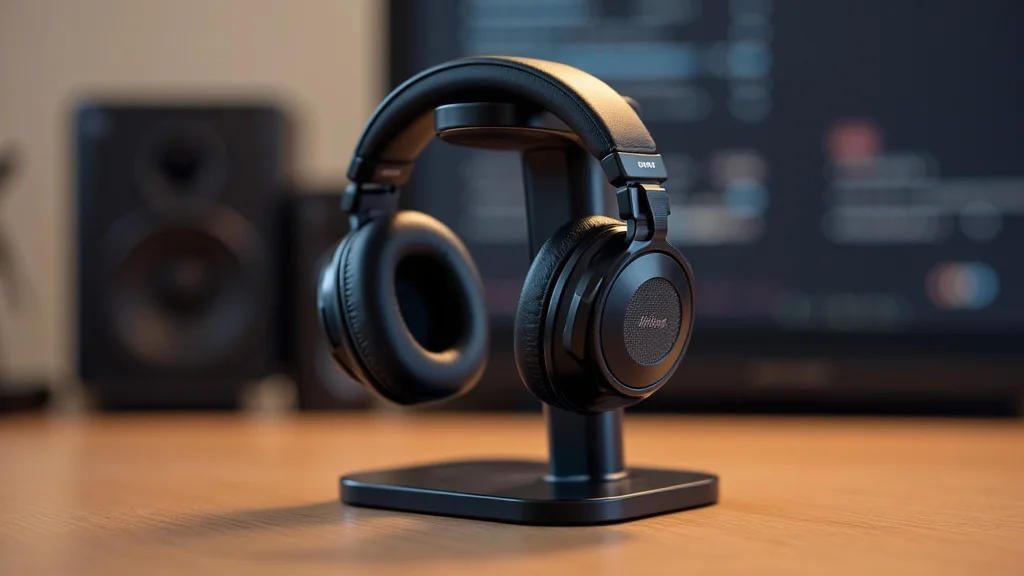
Thinking about a headphone stand might seem simple, but picking the right one can be tricky for newcomers. There are so many kinds, it’s easy to get lost. Don’t worry, though!
We’ll walk through everything step-by-step to help you find exactly what you need. Let’s get your headphones organized.
Key Takeaways
- You will learn about different types of headphone stands.
- Discover the best materials and designs for your needs.
- Understand how to choose a stand that fits your space.
- Learn tips for keeping your headphones safe and accessible.
- Find out why a headphone stand is a good investment.
Why A Headphone Stand Matters
A headphone stand is more than just a place to put your headphones. It helps protect them from damage. Leaving headphones tangled or on surfaces can lead to bent cables or cracked earcups.
A stand keeps them safe, accessible, and organized. It also adds a nice touch to your desk or entertainment area. Think of it as a dedicated parking spot for your favorite audio gear.
Protection and Longevity
Your headphones are an investment. A good headphone stand helps extend their life. It prevents strain on the headband and cables that can happen when they are just tossed aside.
Stands can also keep dust and debris away from the earcups, maintaining sound quality. This careful storage means you can enjoy your headphones for longer.
- Keeps headphones from falling and breaking. A stand offers a stable resting place. This stops them from being accidentally knocked off tables or desks.
- Prevents cable kinks and damage. Dangling cables can get twisted or bent. A stand can guide the cable neatly, reducing stress on the connection points.
- Reduces pressure on the headband. Constantly bending or compressing the headband can weaken it. A stand supports the headband, maintaining its shape.
- Minimizes exposure to dust and spills. Keeping headphones off surfaces means they are less likely to collect dust. This can help keep the audio drivers clean.
Desk Organization and Aesthetics
A cluttered desk can be distracting. A headphone stand brings order to your space. It gives your headphones a designated spot, making your desk look tidier.
Many stands also come in stylish designs that can complement your existing decor. They can be a functional piece of art for your setup.
- Reduces desk clutter. A dedicated spot for headphones means they aren’t taking up valuable desk surface. This frees up space for other items you use regularly.
- Enhances desk appearance. Many stands are designed to look good. They can add a touch of elegance or a modern look to your workspace.
- Makes headphones easy to grab. When your headphones are always in the same place, you can find them quickly. This is handy when you need to switch between listening to music and taking calls.
- Shows off your headphones. If you have premium headphones, a stand lets them be displayed nicely. It’s like showing off a prized possession.
Types Of Headphone Stands
There are several main types of headphone stands. Each offers different features and benefits. Choosing the right type depends on your space, the size of your headphones, and your personal style.
We will explore common options.
Freestanding Stands
These are the most common type. They sit on your desk or table and have a base and an upright arm or hook. They are easy to move and require no installation.
Many are designed to hold one or two pairs of headphones.
- Base stability. A good freestanding stand has a wide and heavy base. This stops it from tipping over, even with heavier headphones.
- Arm or hook design. The arm or hook should be curved to fit your headphones properly. It should also be padded or smooth to prevent scratches.
- Material options. These stands come in wood, metal, plastic, and acrylic. Wood offers a classic look, while metal is sturdy and modern. Plastic is often budget-friendly.
- Versatility. Some freestanding stands have extra features. These can include USB hubs, charging ports, or even RGB lighting for a more dynamic setup.
Wall-Mounted Stands
These stands attach directly to your wall. They are a great option if you have limited desk space. They keep your headphones out of the way.
Installation is usually simple with screws or strong adhesive.
- Space saving. Wall mounts free up your desk entirely. They are ideal for small apartments or minimalist setups.
- Secure mounting. Ensure the screws are long enough for your wall type. For adhesive options, check weight limits and surface compatibility.
- Minimalist design. Many wall mounts have a sleek, unobtrusive design. They focus on function without adding visual clutter.
- Accessibility. Mounting at the right height makes headphones easy to reach. They are kept safely away from potential spills or accidents on your desk.
Desk Clamp Mounts
These stands attach to the edge of your desk using a clamp. They offer a stable hold without requiring drilling. This makes them a good choice for renters or those who prefer not to put holes in furniture.
- Adjustable clamp. The clamp should fit most desk thicknesses. Look for rubber padding on the clamp to protect your desk surface from scratches.
- Sturdy arm. The arm holding the headphones should be rigid. This ensures your headphones are held securely.
- Swiveling options. Some clamp mounts can swivel. This allows you to move your headphones closer or further away as needed.
- Easy installation and removal. Clamps typically take just seconds to attach and detach. This offers flexibility for rearranging your workspace.
Under-Desk Mounts
Similar to desk clamp mounts, these attach to the underside of your desk. They are completely hidden from view, providing a super clean look. They are great for keeping headphones secure and out of sight when not in use.
- Hidden storage. This is the primary benefit. Your headphones are stored away, keeping your desk clear and tidy.
- Secure attachment. Use screws for a permanent and reliable hold. Ensure the mount is positioned so it won’t interfere with your legs.
- Easy access. Once installed, your headphones are easily reachable with a slight reach under the desk.
- Protects headphones from accidental bumps. Keeping them out of sight means they are safe from being knocked over.
Materials And Design Features
The material and specific design of a headphone stand affect its durability, look, and how well it works with your headphones. Considering these details helps you make the best choice.
Wood Stands
Wood stands offer a warm, natural aesthetic. They are often made from hardwoods like walnut, oak, or cherry. Wood has a pleasing feel and can add a touch of elegance to any desk.
- Aesthetic appeal. Wood has a timeless look. It blends well with various decor styles, from modern to rustic.
- Durability. Hardwoods are strong and can support the weight of most headphones for years. They resist bending and breaking.
- Surface finish. Most wood stands are finished with a protective coating. This prevents scratches and moisture damage.
- Weight. Wood stands can be quite heavy, providing good stability. This reduces the chance of them being knocked over accidentally.
Metal Stands
Metal stands, often made from aluminum, steel, or iron, are known for their strength and durability. They offer a sleek, modern look and can support even the heaviest headphones.
- Exceptional strength. Metal can handle significant weight without bending. This makes them ideal for large, over-ear headphones.
- Modern look. Many metal stands have a minimalist design. This suits contemporary desk setups and gaming stations.
- Easy to clean. Metal surfaces are simple to wipe down. They resist stains and are generally low maintenance.
- Potential for non-slip bases. Some metal stands have rubber feet. These help them stay in place and protect your desk surface.
Acrylic And Plastic Stands
Acrylic and plastic stands are often the most budget-friendly options. They are lightweight and come in a variety of colors and styles. While less durable than wood or metal, they can still serve their purpose well.
- Affordability. These are typically the cheapest stands available. They are a great entry-level option for organizing headphones.
- Variety of colors. Plastic stands come in a wide range of colors. This allows for personalization and matching your desk accessories.
- Lightweight. Their low weight makes them easy to move around. However, this can also mean they are less stable.
- Design variety. Acrylic stands can be clear or colored. They can have interesting shapes and designs that are difficult to achieve with other materials.
Ergonomic Design Considerations
The shape and angle of the part that holds your headphones are important. It should support the headband evenly. This prevents stress points and helps maintain the headphone’s shape.
- Headband support. The hook or arm should be wide enough to cradle the headband. Avoid designs that put pressure on a single point.
- Cable management. Some stands include features to neatly wrap or guide the headphone cable. This keeps it from tangling with other items.
- Non-slip surfaces. Look for stands with rubber or silicone padding. This prevents your headphones from sliding off.
- Height and width. Ensure the stand is tall enough for your headphones. Also, check that the base is wide enough for stability.
Choosing The Right Stand For Your Space
Your available space plays a big role in deciding which type of headphone stand is best. Whether you have a large desk or a tiny corner, there’s an option for you.
Small Desks And Limited Space
If your desk is packed with monitors, keyboards, and other gear, you need a stand that takes up minimal room. Wall-mounted or under-desk options are excellent here.
- Wall Mounts. These are perfect for maximizing vertical space. They keep your headphones secure and completely off your desk surface.
- Under-Desk Mounts. These are hidden gems. They store your headphones discreetly, making your desk look exceptionally clean and open.
- Compact Freestanding Stands. If you prefer a freestanding option, look for slim, minimalist designs. Stands with a small footprint but good stability are key.
- Consider multi-functional stands. Some stands include small shelves or trays. These can hold USB drives or SD cards, adding utility without taking up much more space.
Large Desks And Gaming Setups
For those with ample desk space, you have more freedom. You can opt for larger, more elaborate freestanding stands. Some gaming setups even feature stands with RGB lighting to match the theme.
- Larger Freestanding Stands. These can often hold two pairs of headphones. Some have additional features like cup holders or phone stands.
- Stands with built-in features. Look for stands with USB ports or charging capabilities if you need to power your devices.
- Aesthetic matching. Choose a stand that complements your gaming rig. Materials like brushed metal or matte black finishes often fit well.
- Stability is still important. Even on a large desk, a heavy or tall stand needs a solid base to prevent wobbling.
Office Environments
In an office setting, practicality and neatness are usually priorities. A simple, functional headphone stand that keeps your workspace tidy is ideal.
- Simple Freestanding Stands. A classic hook or arm design in wood or metal works well. It keeps headphones off your desk without being distracting.
- Under-Desk Mounts. These are excellent for maintaining a professional, clutter-free desk. They are completely out of sight.
- Consider cable management. If you use your headphones for calls, a stand that helps keep the cable organized is a plus.
- Avoid overly flashy designs. Stick to designs that are professional and blend in with typical office furniture.
Putting Your Headphone Stand To Use
Once you have your stand, using it correctly ensures it provides maximum benefit for your headphones and your space.
Placement Tips
Where you place your stand is important for both convenience and safety.
- Near your primary listening spot. Place the stand where your headphones are easily accessible when you want to use them.
- Away from edges. If using a freestanding stand, place it away from the desk edge. This prevents accidental falls.
- Consider airflow. Ensure the stand placement doesn’t block ventilation for your computer or other devices.
- Keep away from direct sunlight. Prolonged exposure to sunlight can fade materials and potentially damage headphone components.
Connecting To Your Setup
Some stands offer extra connectivity. This can simplify your setup.
- USB Hubs. Many modern stands include USB ports. These can be used for charging devices or connecting accessories.
- Audio Jacks. Some premium stands act as external sound cards. They offer high-quality audio output and input.
- Charging Ports. Stands with built-in charging can keep your wireless headphones powered up. This is a convenient way to ensure they are always ready to go.
Common Myths Debunked
Myth 1: Headphone stands are unnecessary for casual users
This is not true. Even casual users can benefit. A stand protects headphones from damage that can occur from being misplaced or tangled.
It also keeps them organized and easily accessible, improving the user experience.
Myth 2: All headphone stands are the same
This is incorrect. Stands vary greatly in design, material, and features. From simple hooks to elaborate setups with charging ports, there is a wide range of options to suit different needs and preferences.
Myth 3: Headphone stands are expensive
While high-end stands can be pricey, many affordable options exist. Simple plastic or metal stands can be bought for a few dollars. Even more feature-rich stands are often reasonably priced.
Myth 4: A headphone stand will scratch my headphones
Reputable headphone stands are designed with care. They often feature soft padding or smooth finishes on the parts that touch the headphones. Choosing a stand made from good materials with a thoughtful design prevents scratches.
Frequently Asked Questions
Question: What is the best material for a headphone stand?
Answer: The best material depends on your priorities. Wood offers a warm aesthetic, metal provides maximum durability, and acrylic or plastic are budget-friendly and come in many colors.
Question: How much weight can a headphone stand hold?
Answer: Most headphone stands can easily hold the weight of standard over-ear headphones. Metal and sturdy wooden stands are generally the strongest.
Question: Can I use a headphone stand for gaming headsets?
Answer: Yes, many headphone stands are designed to accommodate gaming headsets, which can sometimes be larger and heavier than standard headphones.
Question: Do I need a special stand for wireless headphones?
Answer: Not necessarily. Any headphone stand can hold wireless headphones. However, some stands come with wireless charging capabilities specifically for charging them.
Question: How do I clean my headphone stand?
Answer: Cleaning methods vary by material. Wood stands can be wiped with a damp cloth. Metal and plastic stands can typically be cleaned with soap and water or an all-purpose cleaner.
Summary
Finding the right headphone stand is simple when you know what to look for. Consider your space, the type of headphones you own, and your preferred style. Whether you need a wall mount to save space or a robust freestanding option, there’s a perfect stand out there to keep your gear safe and your desk organized.