
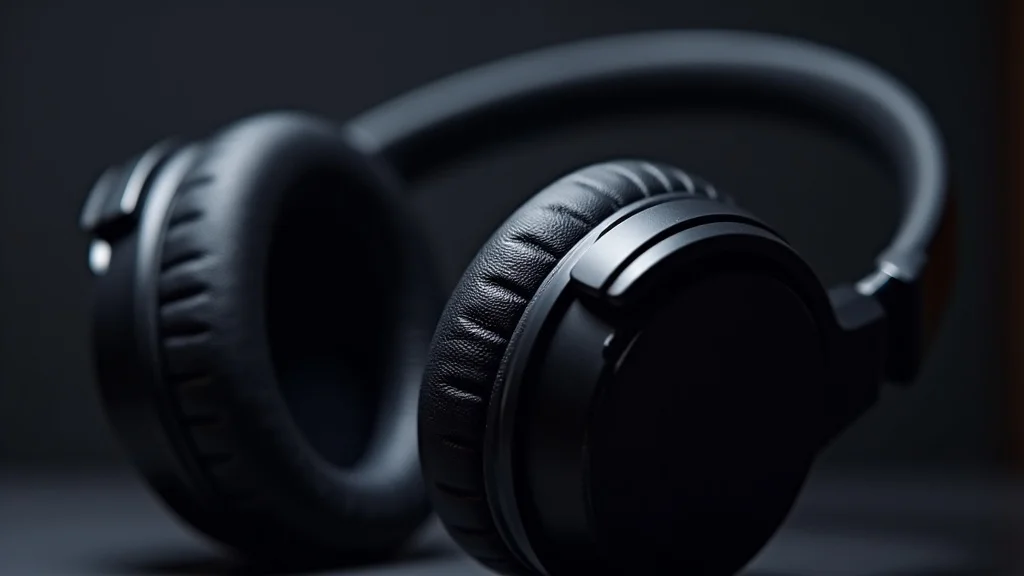
Figuring out headphones settings can be a bit tricky at first. There are so many options, and it’s not always clear what each one does or why it matters. You might wonder if you’re missing out on the best sound.
Don’t worry! This guide breaks it all down simply. We’ll walk through everything step-by-step so you can get the most out of your headphones.
Key Takeaways
- You will learn what common headphones settings do.
- Discover how to adjust your settings for clearer sound.
- Understand how to improve your audio experience for music and calls.
- Learn simple tips to fix common sound problems.
- Gain confidence in tweaking your headphones to fit your needs.
Understanding Your Headphones Settings
Your headphones are more than just ear cups and wires. They are a gateway to rich sound, and how you set them up makes a big difference. Many people overlook these adjustments, thinking it’s too complicated.
But it’s quite simple once you know what to look for. Getting your headphones settings right means better listening for music, podcasts, and even during calls.
Think of it like tuning a guitar. If the strings aren’t right, the music won’t sound its best. Your headphones are similar.
They have built-in tools to shape the audio you hear. We will explore these tools, making sure you understand what each one does. This way, you can easily make your headphones sound exactly how you like them.
What Are Headphones Settings?
Headphones settings are the various controls and adjustments you can make to influence how your headphones produce sound. These settings are often found in software on your computer or smartphone, or sometimes through physical controls on the headphones themselves. They allow you to customize the audio output to your preferences and the type of content you are listening to.
These adjustments can affect volume, balance, equalization (EQ), surround sound, noise cancellation, and microphone input. Each setting plays a role in shaping your overall audio experience. For instance, EQ settings let you boost or cut specific sound frequencies, like making bass deeper or treble clearer.
Understanding these can transform ordinary listening into something special.
Why Are Settings Important?
The importance of headphones settings lies in personalization and optimization. Not everyone hears the same way, and different types of audio benefit from different adjustments. A podcast might sound best with clear, focused voices, while a rock song might need more bass.
Games might require precise directional audio to hear enemies approaching.
Correctly configured settings also ensure comfort and health. For example, setting volume limits can protect your hearing from damage. Noise cancellation settings help block out distractions, allowing for focused work or relaxation.
Without paying attention to settings, you might be listening to audio that is muffled, too quiet, too loud, or unbalanced, missing out on the full potential of your headphones.
Where to Find Your Settings
Finding your headphones settings depends on the device you are using and the type of headphones. For wired headphones connected to a computer or phone, you’ll often look in the device’s sound or audio settings menu. On Windows, this is usually found by right-clicking the speaker icon in the taskbar.
On macOS, it’s in System Preferences under Sound.
For smartphones, both iOS and Android have dedicated sound or Bluetooth settings. If you have wireless headphones, especially those with companion apps, you’ll find many advanced settings within that specific app. These apps often offer EQ presets, custom EQ sliders, noise cancellation controls, and firmware updates.
Always check your device’s Bluetooth menu for basic connection options and then look for a dedicated app if your headphones support one.
Adjusting Audio Quality Settings
Once you know where to find your settings, the next step is to understand how to adjust them for the best audio quality. This involves tweaking several key areas. We will focus on equalization, balance, and audio enhancements.
These are the most common ways to shape the sound you hear, making music richer, voices clearer, and movies more immersive.
You don’t need to be an audio expert to make these changes. We will break down each setting into simple terms. Our goal is to empower you to experiment and find what sounds best for your ears and your listening habits.
This section is all about making your audio come alive.
Equalization (EQ) Explained
Equalization, or EQ, is a powerful tool that lets you change the volume of specific sound frequencies. Think of sound as having different layers, from the deep rumble of a bass drum to the sharp tinkle of a cymbal. EQ allows you to boost or cut these layers.
- Low Frequencies (Bass): These are the deep, rumbling sounds. Boosting bass can make music feel more powerful and energetic. Cutting bass can make it less boomy and clearer. Many genres like hip-hop and electronic music benefit from more bass.
- Mid Frequencies: This range is where most vocals and instruments like guitars and pianos sit. Adjusting mids can make voices sound more present or push them back. If music sounds muddy, reducing some mid-frequencies can help.
- High Frequencies (Treble): These are the bright, sharp sounds, like cymbals, sibilance in voices (S sounds), and the sparkle in music. Boosting treble can add clarity and detail. Too much treble can sound harsh or tinny, while too little can make sound dull.
Many headphones offer preset EQ settings like “Rock,” “Pop,” “Classical,” or “Bass Boost.” These are good starting points. You can also create custom EQ profiles. For example, if you find voices hard to hear on podcasts, you might slightly boost the mid-frequencies around 1kHz to 4kHz.
If your music sounds weak, try a slight boost in the low-end around 60Hz to 250Hz.
Stereo Balance
Stereo balance refers to the distribution of sound between your left and right headphones. In most cases, you want a perfect 50/50 balance so that the sound is centered. However, sometimes, one ear might be slightly more sensitive than the other, or you might have a mild hearing loss in one ear.
Adjusting the stereo balance allows you to compensate for these differences. If you feel the sound is too far to the left, you can shift the balance slightly to the right. If it seems too far to the right, shift it to the left.
Most systems allow you to move a slider from left to right. Keep this setting centered unless you have a specific reason to change it. A perfectly balanced soundstage is key to enjoying stereo music and games as intended.
Audio Enhancements
Beyond basic EQ and balance, many operating systems and headphone apps offer “audio enhancements.” These are often pre-programmed sound profiles designed to improve specific types of audio or mimic different listening environments. Some common ones include virtual surround sound, loudness equalization, and bass boost.
- Virtual Surround Sound: This technology tries to simulate the effect of multiple speakers around you, creating a more immersive experience for movies and games. It can make sounds seem like they are coming from different directions, even though you only have two speakers in your headphones.
- Loudness Equalization: This feature aims to make sound clearer at lower volumes. It often boosts bass and treble when the overall volume is turned down, compensating for how our ears perceive frequencies at different loudness levels.
- Bass Boost: This is a more aggressive form of bass enhancement than simple EQ. It can make the low-end sounds much more pronounced, which is popular for certain music genres but can sometimes make other sounds muddy.
It is important to experiment with these enhancements. What sounds good for one person might not sound good for another. Sometimes, these enhancements can actually degrade audio quality or create unnatural sounds.
For critical listening to music, many audiophiles prefer to turn off most enhancements and rely on a clean EQ. For gaming or movies, virtual surround sound can be quite effective.
Optimizing For Different Uses
Your headphones can do more than just play music. They can help you focus, communicate clearly, and enjoy gaming more. The best headphones settings often depend on what you are using them for.
We will look at how to adjust your audio for calls, gaming, and media consumption.
Each of these activities has unique audio needs. For instance, making sure your voice is clear on a call is different from hearing footsteps in a game. We will provide practical tips to help you switch between these modes easily.
This section is about making your headphones work smarter for you.
For Crystal Clear Calls
When you are on a voice or video call, the most important thing is that you can hear others clearly and that they can hear you without problems. This means your microphone settings and the clarity of voices are key.
- Microphone Boost/Gain: This setting on your computer or in the headphones app can increase the volume of your microphone. If people say you are too quiet, increasing this might help. Be careful not to increase it too much, as it can make your voice sound distorted or pick up too much background noise.
- Noise Suppression/Cancellation for Microphone: Many headphones and operating systems have settings to reduce background noise that your microphone picks up. This is vital if you are in a noisy environment. It helps filter out fans, traffic, or other distractions so your voice is the focus.
- Voice EQ Presets: Some software includes EQ presets specifically for voice. These often boost mid-frequencies where human speech sits, making voices sound more present and easier to understand.
Example Scenario: Imagine you are in a busy coffee shop taking an important work call. You’ve adjusted your headphones to enable microphone noise suppression. The person you’re talking to reports they can hear you perfectly, with no distracting background chatter.
This is achieved by your headphones and software intelligently filtering out the noise around you.
For Immersive Gaming
Gaming requires precise audio cues. You need to hear where enemies are coming from, the rumble of an explosion, or the subtle sound of footsteps. This is where virtual surround sound and a good balance become very important.
- Virtual Surround Sound: As mentioned before, this can create a sense of 3D space. This helps immensely in games for locating opponents. Many gaming headsets come with this feature built-in or offer it via software.
- Adjusting Game Audio Levels: Within game settings, you can often adjust different audio channels like master volume, music volume, dialogue volume, and sound effects volume. Prioritize sound effects and master volume for gameplay cues.
- Custom EQ for Gaming: Some gamers like to boost frequencies that carry directional audio cues. For example, slightly increasing frequencies between 2kHz and 8kHz can make footsteps and gunshots more distinct. You might also want a slight bass boost for explosions.
Case Study: A professional esports player uses headphones with advanced virtual surround sound. They can accurately pinpoint an enemy’s location based solely on the sound of their footsteps, giving them a significant advantage in competitive matches. This level of positional audio is crucial for reaction time and strategy.
For Enjoying Music and Media
When listening to music, watching movies, or enjoying podcasts, your goal is often fidelity and immersion. You want the audio to sound as the creator intended, or perhaps with a little personal flair.
- Flat EQ or Audiophile Presets: For purists, a “flat” EQ setting means no frequencies are boosted or cut, presenting the audio as it is. Many headphones also have presets like “Classical” or “Jazz” that aim for accurate reproduction.
- Bass and Treble Adjustments: If you enjoy a powerful beat in your music, a bass boost or custom EQ can add punch. If you want vocals to really shine, adjust the mid-range. For movies, clear dialogue is key, so ensuring mid-frequencies are well-represented is important.
- Spatial Audio Features: Newer headphones and devices support spatial audio, which is a more advanced form of surround sound that can create a more realistic and dynamic audio experience for supported content.
Statistic: A study by Nielsen found that 64% of consumers who actively adjust their audio settings report a more enjoyable listening experience. This shows how personal preferences greatly impact satisfaction with audio content.
Advanced Headphones Settings
Beyond the basics, some headphones offer more advanced features that can significantly enhance your audio. These often relate to active noise cancellation, transparency modes, and personalized sound profiles. Understanding these can take your listening experience to the next level.
These advanced settings might seem daunting at first, but they are designed to be user-friendly. We will explore what they are and how you can use them effectively. This part is for those who want to fine-tune their audio even further.
Active Noise Cancellation (ANC)
Active Noise Cancellation is a technology that uses microphones to detect ambient sound and then creates opposing sound waves to cancel it out. This is incredibly effective for reducing constant, low-frequency noises like airplane engines, train hums, or office air conditioning.
- How ANC Works: Microphones on the outside of your headphones listen to the surrounding noise. A processor inside the headphones analyzes this sound and generates an “anti-noise” soundwave that is the exact opposite. When these waves meet, they cancel each other out, reducing the perceived noise.
- Levels of ANC: Many headphones offer different levels of ANC, from off to maximum. Higher levels block more noise but can sometimes create a feeling of pressure in your ears for some users. There might also be adaptive ANC that adjusts based on your environment.
- Benefits: ANC allows for quieter listening, meaning you can turn your volume down, which is better for your hearing. It also helps improve focus and relaxation in noisy environments.
Real-Life Example: A frequent flyer uses ANC headphones on a long flight. The constant drone of the engines is almost entirely eliminated, allowing them to enjoy music, watch movies, or sleep peacefully without the irritating background noise.
Transparency Mode (Ambient Sound)
Transparency mode, also known as Ambient Sound mode, does the opposite of ANC. Instead of blocking outside noise, it uses the external microphones to let in surrounding sounds. This allows you to hear important announcements, conversations, or traffic without taking off your headphones.
- Purpose: This is incredibly useful for safety and convenience. You can have a quick chat with someone, hear a siren approaching, or listen to a train station announcement while still enjoying your music at a lower volume.
- Adjustable Levels: Many headphones allow you to adjust the level of transparency. You can choose to let in just a little bit of sound or have it feel like you’re not wearing headphones at all.
- Situational Use: It’s perfect for when you need to be aware of your surroundings, like walking on a busy street, being at an airport, or needing to quickly respond to a colleague.
Case Study: A student uses headphones with transparency mode while studying in a library. They can still hear the librarian or a friend calling their name without having to constantly remove their headphones, saving time and maintaining focus.
Personalized Sound Profiles
Some high-end headphones and apps offer the ability to create a personalized sound profile. This involves a hearing test or a series of listening tests to map out your specific hearing capabilities across different frequencies. The headphones then adjust their output to compensate for any hearing loss or unique listening characteristics.
- How It Works: You might be asked to listen to a series of tones and indicate when you can hear them. The software uses your responses to create a custom EQ curve. This ensures that you hear a balanced sound across all frequencies, as if you had perfect hearing.
- Benefits: For individuals with mild hearing loss, this can be life-changing, revealing details in music or speech they may have been missing. It provides a truly custom listening experience.
- Implementation: This feature is often found in the companion app for advanced headphones. Look for options like “Sound Personalization,” “HearID,” or “Custom Sound.”
Statistic: According to the World Health Organization, over 5% of the world’s population—430 million people—require hearing rehabilitation. Personalized sound profiles can greatly assist many of these individuals in enjoying audio content.
Common Headphones Settings Myths Debunked
There are many ideas floating around about headphones settings, but not all of them are accurate. Let’s clear up some common misunderstandings so you can make informed decisions about your audio.
Myth 1: Higher Volume is Always Better
Some people believe that cranking up the volume is the only way to get good sound. This is not true and can be harmful. Listening at excessively high volumes for extended periods can cause permanent hearing damage.
The reality is that properly adjusted settings, like EQ for clarity or enhanced bass, can make music sound more impactful and detailed even at moderate volumes. It’s better to find settings that bring out nuances in the sound rather than just relying on sheer loudness.
Myth 2: You Need Expensive Headphones for Good Sound
While high-end headphones often offer superior build quality and drivers, you can still achieve excellent sound with mid-range or even budget-friendly headphones by adjusting their settings. Basic EQ adjustments can often make a significant difference.
The software settings on your device or a dedicated headphone app can often compensate for some limitations of less expensive hardware. Learning to use EQ and other features can unlock more potential than you might expect from your current headphones.
Myth 3: All Preset EQ Settings Are Good for Everything
Preset EQ settings like “Rock” or “Pop” are designed as general starting points. However, they might not be perfect for every song or every person’s taste. Different music genres, artists, and even individual tracks can benefit from unique EQ adjustments.
It’s best to use presets as a guide and then fine-tune them. Listen to a variety of content and make small adjustments to the EQ sliders until it sounds right to you. Your personal preference is the most important factor.
Myth 4: Turning Off All Enhancements is Always Best
While some audio enhancements can sound artificial, others are genuinely useful for specific purposes. For example, virtual surround sound can be fantastic for gaming, and loudness equalization can make quiet audiobooks more listenable.
The key is to understand what each enhancement does and to use it when it benefits your listening experience. For critical music listening, you might turn them off, but for movies or games, they can add significant value.
Frequently Asked Questions
Question: How do I reset my headphones settings?
Answer: Most headphones can be reset by holding down specific buttons for a set amount of time, or by using a reset option within their companion app. Consult your headphones’ manual for exact instructions.
Question: Can headphones settings improve my hearing?
Answer: Headphones settings cannot medically improve your hearing, but personalized sound profiles can help compensate for mild hearing loss, making audio clearer and more enjoyable.
Question: What is a good EQ setting for general listening?
Answer: There’s no single “good” EQ. Start with a flat setting and make small adjustments. Often, a slight boost in bass and treble with a small cut in the mids can sound pleasing for many genres.
Question: Why does my music sound different on different headphones?
Answer: Each pair of headphones has a unique sound signature based on its drivers, design, and tuning. Settings can help you adjust them, but they will still sound distinct from each other.
Question: Do noise-cancelling headphones hurt your ears?
Answer: For most people, ANC does not hurt their ears. Some sensitive individuals might feel a slight “pressure” sensation, which can be managed by using lower ANC levels or transparency mode.
Conclusion
Mastering your headphones settings is key to enjoying truly personalized and high-quality audio. By understanding equalization, balance, and advanced features like ANC, you can transform your listening experience for music, calls, and games. Don’t be afraid to experiment with the adjustments available on your device or in your headphones’ app.
Small tweaks can lead to big improvements. Find what sounds best for you and enjoy your audio!