
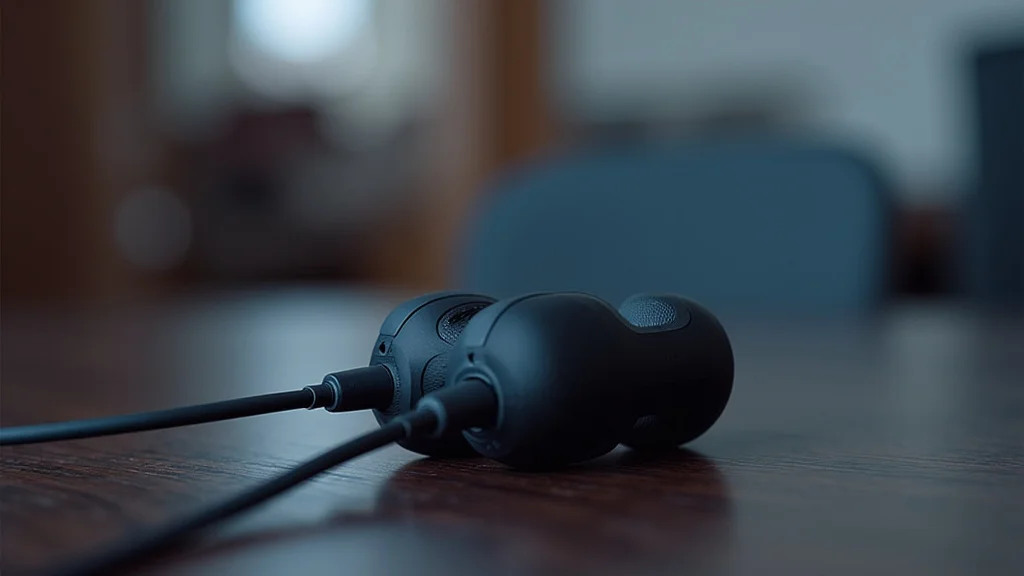
Are you looking for new headphones and seeing lots of options with that little oval plug? It’s called a USB C connector, and it’s showing up on many newer phones and laptops. For some, it might seem a bit confusing at first, wondering if these headphones will even work with their devices.
Don’t worry, it’s simpler than you think! This guide will walk you through everything you need to know about usb c headphones, making it easy to pick the perfect pair. Let’s get started with what you’ll discover.
Key Takeaways
- You will learn what USB C headphones are and why they are becoming popular.
- You will understand the basic technology behind how they connect and work.
- You will see the main advantages of choosing USB C over older headphone jacks.
- You will discover different types and features to consider when buying.
- You will learn how to troubleshoot common issues if they arise.
What Are USB C Headphones
Understanding USB C Headphone Technology
USB C headphones use a digital connection instead of the older analog one found in traditional headphone jacks. This means the audio signal is sent as digital data. Your phone or computer converts the sound into digital bits.
Then, the headphones receive these bits and turn them back into sound you can hear. It’s like sending a digital photo versus a printed one.
The USB C connector itself is quite versatile. It’s a modern standard that allows for faster data transfer and more power delivery compared to older USB types. For headphones, this means it can handle higher quality audio signals.
It can also sometimes power extra features within the headphones, like active noise cancellation, without needing a separate battery.
Think about how your phone charges. Many newer phones use USB C for charging. The same port can often be used for headphones.
This helps simplify the number of ports you need on a device. Fewer ports can mean a slimmer phone design.
Digital vs Analog Audio
Analog audio signals are like a continuous wave. They represent sound in a direct electrical form. This is how traditional headphones have worked for decades.
The headphone jack on your old phone or MP3 player sent this analog wave.
Digital audio signals are like a series of numbers. They break down sound into tiny pieces and represent each piece with a code. Your phone’s internal Digital-to-Analog Converter (DAC) turns the digital music files into analog signals for older headphones.
With USB C headphones, the DAC can be inside the headphones themselves or within the device’s USB C port. This allows for more control over the sound quality.
This digital connection offers potential for better sound. It can reduce interference that might affect analog signals. It also opens up possibilities for more advanced features that require digital data.
The USB C Connector
The USB C connector is a reversible plug. This means you can plug it in either way up, and it will work. This is a big convenience compared to older USB plugs that only fit one way.
It’s a small detail but makes a noticeable difference in daily use.
Beyond just audio, USB C is designed for many purposes. It can handle charging, data transfer, and video output. For headphones, this means the port is capable of delivering clear audio data.
It’s a future-proof standard that’s becoming common on many devices.
Many devices, like newer smartphones, tablets, and laptops, are phasing out the traditional 3.5mm headphone jack. They are relying on USB C ports for audio output. This shift makes USB C headphones a necessary choice for many users.
How USB C Headphones Work
When you plug USB C headphones into a compatible device, the device recognizes them as an audio output. The digital audio data from your music or calls is sent through the USB C cable. This data travels directly to the headphones.
Inside the headphones, a small Digital-to-Analog Converter (DAC) and an amplifier work together. The DAC converts the digital data back into an analog signal. The amplifier then boosts this signal so the tiny speaker drivers in the earbuds or headphones can produce sound.
This process happens very quickly. You won’t notice any delay. It ensures that the sound you hear is a faithful reproduction of the original digital audio file.
The quality of the DAC and amplifier within the headphones can greatly impact the overall listening experience.
Benefits of USB C Headphones
One of the main reasons people are switching to USB C headphones is the improved audio quality they can offer. Because the signal is digital, it’s less prone to interference. This means your music can sound clearer and more detailed.
Another big plus is the convenience. Many modern devices, especially smartphones, no longer have a separate headphone jack. Using USB C headphones means you can use the same port for charging and listening to music.
You don’t need a special adapter if your device only has a USB C port.
Many USB C headphones also come with advanced features. These can include active noise cancellation (ANC), built-in microphones for calls, and even controls on the cable to manage your music and calls. The USB C connection can often provide the power needed for these extra functions.
Enhanced Audio Fidelity
With analog audio, the signal travels through wires that can pick up electrical noise. This noise can be subtle, but it can affect the clarity of the sound. It might sound like a low hum or static in the background.
Digital audio, sent through USB C, bypasses much of this interference. The data is transmitted in a more protected format. This means the sound reaching your ears is cleaner.
It can lead to richer bass, clearer mids, and crisper highs.
This improvement is especially noticeable if you listen to high-resolution audio files. USB C headphones can handle the bandwidth needed to transmit these detailed files without degradation. It’s a significant step up for audiophiles.
Simplified Device Design
Manufacturers are constantly trying to make devices thinner and lighter. Removing the 3.5mm headphone jack frees up valuable space inside a device. This space can be used for larger batteries, more advanced cameras, or just to make the device more compact.
This trend means that many new phones and laptops only have USB C ports. If you have one of these devices, USB C headphones are often the easiest choice. You avoid needing dongles or adapters that can be easily lost.
Imagine a phone that’s super slim and still packs a long-lasting battery. This is partly possible because designers can use space more efficiently, and removing the headphone jack helps them do that.
Integration of Advanced Features
Features like active noise cancellation (ANC) require a decent amount of power to operate. Traditional headphones often needed a separate battery pack for ANC. USB C headphones can draw power directly from the device they are plugged into.
This means that ANC headphones can be sleeker and more convenient. You don’t have to worry about charging a separate battery for the noise cancellation. The same applies to other features like microphones for calls or in-line controls.
The digital connection allows for more sophisticated command and control.
For example, some USB C headphones offer customizable EQ settings through a companion app. This level of control is easier to achieve when the headphones are communicating digitally with the device.
Practical Examples of Benefits
Consider a busy commuter who wants to block out train noise. With USB C headphones featuring active noise cancellation, they can simply plug them into their phone and enjoy quiet. They don’t need to worry about charging an extra battery for the ANC to work.
The sound quality for their music or podcasts is also likely to be better than older headphones.
Another scenario involves a student who uses their laptop for online classes and also for listening to music. If their laptop only has USB C ports, a pair of USB C headphones means they can switch between class and music without any hassle. They don’t need to hunt for an adapter.
The built-in microphone ensures clear communication during classes.
Statistics on USB C Adoption
According to a report by Statista, the global market for USB C accessories, including headphones, has seen significant growth. This growth is driven by the increasing adoption of USB C ports in consumer electronics. By 2023, it was estimated that over 5 billion USB C devices were in use worldwide.
This indicates a clear trend towards this connector standard.
The convenience and standardization offered by USB C are major factors. As more manufacturers adopt the standard, the availability and variety of USB C headphones will continue to expand. This makes them a practical choice for a growing number of consumers.
Types of USB C Headphones
Just like traditional headphones, USB C headphones come in various forms. You can find earbuds that fit snugly in your ear canal, often called in-ear monitors (IEMs). There are also on-ear and over-ear headphones that cover your ears completely for a more immersive sound.
Within these types, there are different features to consider. Some are basic, offering just sound and a microphone. Others come packed with advanced tech like active noise cancellation, high-fidelity audio codecs, and voice assistant integration.
The choice depends on your needs and budget.
It’s also important to note that not all USB C ports support audio output. While most newer smartphones and laptops do, some older devices or specific models might not. Always check your device specifications if you are unsure.
In-Ear Earbuds
USB C earbuds are very popular because they are portable and discreet. They fit directly into your ear canal, creating a seal. This seal helps to block out some external noise naturally.
Many USB C earbuds come with different sized silicone tips. This allows you to find the best fit for your ears. A good fit is crucial for comfort and for getting the best sound quality, especially for bass.
These earbuds are great for everyday use, commuting, or workouts. Some models are water-resistant, making them suitable for exercise. They are often the most affordable type of USB C headphones.
On-Ear and Over-Ear Headphones
For a more comfortable and immersive listening experience, on-ear and over-ear USB C headphones are a good choice. On-ear models rest on your ears, while over-ear models completely enclose them.
Over-ear headphones generally offer better sound isolation and a wider soundstage, meaning the audio feels more spacious. They often have larger drivers, which can produce richer and more powerful sound.
These types of headphones are excellent for long listening sessions, studio monitoring, or anyone who prioritizes sound quality and comfort. They can sometimes be bulkier than earbuds but provide a more premium feel and sound.
Features to Look For
When shopping for USB C headphones, consider what features are most important to you. Active Noise Cancellation (ANC) is a key feature for many, helping to eliminate background noise. This is perfect for travel or noisy environments.
High-resolution audio support is another feature to look for if you care about the best possible sound quality. This often involves support for specific audio codecs. A good built-in microphone is also essential if you plan to make frequent calls or use voice commands.
Some headphones also offer app support, allowing you to customize EQ settings, control ANC levels, and update firmware. Others have physical buttons on the cable for play/pause, volume control, and call management.
Example Scenario: Choosing Earbuds for Commuting
Imagine Sarah is looking for new headphones for her daily train commute. She wants something portable and effective at blocking out the train noise. She’s also looking for good sound quality for her music.
She decides to look for USB C earbuds with active noise cancellation. She finds a pair that are also sweat-resistant, which is a bonus in case she uses them for short walks. The earbuds come with a compact charging case that also connects via USB C, ensuring she can easily charge them with the same cable she uses for her phone.
The built-in microphone is a plus for taking calls on the go.
Connecting and Using USB C Headphones
Using USB C headphones is usually very straightforward. In most cases, it’s a plug-and-play experience. You simply insert the USB C connector into the corresponding port on your device, and your device should automatically detect the headphones and start sending audio to them.
There’s no need to pair them via Bluetooth or worry about batteries for the headphones themselves, as they draw power from your device. However, if your headphones have advanced features like active noise cancellation, they will use power from your device. This might slightly reduce your device’s battery life.
If you encounter any issues, the first step is usually to check if your device’s USB C port supports audio output. Some older devices or specific models might not be configured for this. You can usually find this information in your device’s manual or on the manufacturer’s website.
Plug and Play Simplicity
The beauty of USB C headphones is their ease of use. You don’t need to go through complicated setup processes. When you plug them in, your phone, tablet, or computer recognizes them instantly as the primary audio output.
This is similar to how traditional headphones worked. However, the digital nature of the connection means that the device and the headphones can communicate more efficiently. This allows for faster switching between devices if your headphones support multiple connections.
For example, if you’re listening to music on your laptop and a call comes in on your connected phone, some advanced USB C headphones can seamlessly switch. This transition is managed digitally through the USB C connection.
Device Compatibility
While USB C is a standard, not every USB C port is enabled for audio output. Most smartphones released in the last few years have this capability. Many laptops and tablets also support it.
However, some devices, particularly older ones or those with specialized USB C ports (like some data-only ports), might not transmit audio. It’s always a good idea to check your device’s specifications. A quick search for ” USB C audio” should give you the answer.
If you plug in your USB C headphones and no sound comes out, this is the first thing to investigate. It’s not usually a problem with the headphones themselves, but rather how the device handles audio through its USB C port.
Power Draw and Battery Life
USB C headphones draw power from the device they are connected to. This is convenient because it means you don’t have to worry about charging the headphones separately. However, it’s important to be aware that using headphones, especially those with active noise cancellation or other power-hungry features, will consume battery power from your device.
The amount of power drawn can vary. Simple earbuds with no extra features will have a minimal impact. Headphones with ANC can consume more power.
This is a trade-off for the convenience of not having to charge the headphones themselves.
For users who are concerned about battery life, choosing headphones with lower power consumption or turning off features like ANC when not needed can help. Most modern devices are designed to manage power efficiently, so the impact is often manageable for daily use.
Sample Scenario: Using Headphones with a New Phone
Mark just bought a new smartphone that doesn’t have a headphone jack. He also bought a pair of USB C headphones to go with it. He unboxes the headphones, plugs the USB C connector into the bottom of his phone, and immediately starts playing music.
The sound comes out of the headphones without any further setup. He then takes a call, and the microphone works perfectly for the person on the other end.
Troubleshooting Common Issues
Even with plug-and-play technology, you might occasionally run into minor issues with USB C headphones. The most common problem is no sound at all. This could be due to a few reasons, like an incompatible port or a software glitch.
Another issue can be poor sound quality, such as crackling or intermittent audio. This might be caused by a loose connection, a damaged cable, or even interference. Sometimes, a simple restart of your device or updating its software can resolve many of these problems.
If you’re experiencing issues with the microphone, ensure that the headphone’s microphone access is enabled in your device’s settings. It’s also worth trying the headphones on a different device to see if the problem persists.
No Sound from Headphones
If you plug in your USB C headphones and hear nothing, the first thing to check is if your device’s USB C port supports audio. Not all do. You can check your device’s manual or manufacturer’s website.
Next, ensure the headphones are fully and securely plugged in. Sometimes, a slight wiggle can re-establish a connection. Try unplugging and plugging them back in.
Check your device’s audio output settings. Make sure that the USB C headphones are selected as the audio output device. Sometimes, the device might still be trying to send audio to its internal speaker.
A simple restart of your phone or computer can also clear temporary glitches.
Poor Audio Quality or Crackling
If the sound is distorted, crackling, or cutting out, first try a different pair of USB C headphones on the same device. If the new headphones work fine, the issue is likely with your original headphones, perhaps a damaged cable or internal component.
If the problem occurs with multiple pairs of USB C headphones, the issue might be with your device’s USB C port or its audio processing software. Ensure your device’s software is up to date. Dust or debris in the USB C port can also cause connection issues.
You can try gently cleaning the port with compressed air or a soft, dry brush.
Physical damage to the cable or the connector itself is another common cause of poor sound quality. Inspect the cable for any visible signs of wear or damage.
Microphone Not Working
If the microphone on your USB C headphones isn’t working, first check your device’s privacy settings. Ensure that apps have permission to access the microphone.
On many devices, when you plug in USB C headphones, a prompt might appear asking if you want to allow audio input from them. Make sure you grant this permission.
Try using the headphones for a simple voice recording app to test the microphone independently. If it works there, the problem might be with the specific app you are trying to use for calls or voice commands. Also, ensure the microphone isn’t accidentally muted by an in-line control.
Tips for a Smooth Experience
Keep your device’s software updated. Manufacturers often release updates that improve compatibility and fix bugs related to USB C audio.
Carry a small cleaning tool for your USB C port if you frequently use accessories. A clean port ensures a stable connection.
If you travel with your headphones, store them carefully to avoid damaging the cable or connector. A small carrying case can protect them.
Common Myths Debunked
Myth 1: All USB C Ports Support Audio Output
This is a common misconception. While most modern smartphones and many laptops have USB C ports designed for audio, it’s not universal. Some devices might have USB C ports that are strictly for charging or data transfer only.
Always verify your device’s specifications before purchasing USB C headphones.
Myth 2: USB C Headphones Will Drain Your Device’s Battery Very Quickly
While USB C headphones do draw power from your device, the impact on battery life is often minimal, especially for basic earbuds. Headphones with active noise cancellation will use more power, but this is a trade-off for the feature’s convenience, similar to how it worked with battery-powered ANC headphones in the past. Modern devices are optimized for power efficiency.
Myth 3: USB C Headphones Are Only for Newer Devices
This is incorrect. While many new devices come with USB C ports, you can often use USB C headphones with older devices that have USB C ports for data transfer or charging. The key is the presence and functionality of the USB C port itself for audio.
Some older devices might require specific adapters if they don’t have a direct USB C audio output.
Myth 4: The Sound Quality of USB C Headphones is Always Superior
While USB C technology allows for higher fidelity audio due to its digital nature, the actual sound quality depends heavily on the headphones’ internal components, like the DAC and drivers. Cheap USB C headphones may not sound any better, or could even sound worse, than a good pair of analog headphones. It’s the quality of the engineering within the headphones that matters most.
Frequently Asked Questions
Question: Do I need a special app to use USB C headphones?
Answer: Generally, no. Most USB C headphones work as plug-and-play devices and do not require a special app. However, some higher-end models with advanced features might offer a companion app for customization, like adjusting EQ or ANC levels.
Question: Can I use my USB C headphones with my computer?
Answer: Yes, if your computer has a USB C port that supports audio output. Most modern laptops and some desktops do. It’s always best to check your computer’s specifications.
Question: Will USB C headphones work on all phones?
Answer: They will work on phones with a USB C port that is enabled for audio output. Most newer Android phones and some iPhones (that have USB C) support this. Phones that only have a Lightning port or a 3.5mm jack will not work directly without an adapter.
Question: How do I clean my USB C headphones?
Answer: For the earbuds or headphones themselves, use a soft, dry cloth. For the USB C connector, gently use compressed air or a soft, dry brush to remove any dust or debris. Avoid using liquids.
Question: Are USB C headphones better than wireless headphones?
Answer: It depends on your needs. USB C headphones offer a direct digital connection with no battery charging needed for the headphones and often less latency. Wireless headphones offer freedom of movement but require charging and can sometimes have connection or latency issues.
Final Thoughts
Using USB C headphones is a straightforward choice for many people today. They offer excellent sound quality and convenience, especially with newer devices that are phasing out the old headphone jack. You can easily plug them in and enjoy your audio.
This guide covered what they are, why they are a great option, and how to troubleshoot any minor issues. Enjoy your listening experience!